CAS tech stack: proposals, billing, and the missing layer



 Copied to clipboard.
At 40 recurring clients, most client advisory services (CAS) firms hit the same wall. The general ledger syncs. The payroll runs. Then billing day arrives, and three tools that don't talk to each other turn a 20-minute task into a half-day of manual reconciliation. That's the CAS tech stack showing its cracks.
A CAS tech stack is the connected set of tools a CAS firm uses to run recurring engagements, spanning the general ledger and payroll through proposals, billing, and payment collection.
If you're already running CAS at scale, you have a stack. The question is whether it's working for you or against you.
This piece is for firm owners who have clients and tools, but are hitting a ceiling. It lays out a category-by-category evaluation framework that surfaces integration gaps and lock-in risk before the October-December buying and renewal window closes.
Key takeaways
- Limiting general ledger platforms to three or fewer programs can be a direct capacity lever for CAS firms scaling past 30 recurring clients.
- The proposals-to-payment layer is the CAS stack category most firms still handle across disconnected tools, making it the most common source of revenue leakage at scale.
- Reporting tools carry the highest lock-in risk when clients gain direct dashboard access, because switching platforms then creates a client-visible disruption, not just an internal one.
- Variable billing tied to headcount or payroll data is a defining CAS workflow, and any billing tool that requires manual calculation to handle it caps firm capacity.
- Evaluating integration depth before committing matters most in the ledger, reporting, and billing layers, where proprietary data formats make switching costs compound over time.
What a CAS tech stack actually needs
A scaled CAS stack needs six connected layers:
- General ledger and bookkeeping
- Accounts payable and payroll
- Reporting and dashboards
- Practice management and workflow
- Proposals, billing, and payment collection
- Client communication and document workflow
The first four handle internal operations, but the last two handle the client engagement and revenue layer, a distinction most stack evaluations miss entirely. CAS practices that continually invest in technology serve 100 clients versus 67 for the average respondent.
1. General ledger and bookkeeping layer
The general ledger determines whether every downstream workflow (reporting, billing, payroll, and advisory) runs on accurate data or errors. Common platforms in this category include QuickBooks Online, Xero, Sage Intacct, and NetSuite.
Top-performing CAS practices limit ledger platforms to three or fewer, linking standardization to greater efficiency and client satisfaction.
Lock-in signals to check before committing
A ledger platform presents material lock-in risk when it restricts transaction exports, bundles essential access with unwanted features, or changes pricing as client volume grows. Run three checks before committing:
- Confirm the platform exports a full transaction history in a non-proprietary format.
- Verify that bank-feed access isn’t bundled with features you don’t need.
- Ask whether pricing changes once your client count crosses a specific threshold.
Knowing what to look for in accounting platform integrations before you sign matters because switching ledger platforms mid-engagement forces a data migration that disrupts client books. That’s exactly why firms stay on underperforming platforms longer than they should.
Integration criteria for CAS at scale
A ledger platform's API depth determines whether the rest of your stack can automate around it, and at 30-plus recurring clients, that depth must support real-time reporting data, automatic payroll entries, and billing sync. The questions to ask here:
- Does it push real-time transaction data to reporting tools?
- Does it accept payroll journal entries automatically?
- Does it sync billing data without manual exports?
That last point matters most for variable billing. If the ledger's API is shallow, that automation breaks. Automating billing depends on the ledger layer holding up its end.
When to standardize across client books
Standardizing ledger platforms is a capacity decision.
Enforce standardization when onboarding a non-standard client takes a custom integration or manual export workflow, because that exception doesn't stay contained. Every new client on that platform adds the same overhead.
At 30-plus recurring clients, those compounding costs become a ceiling on how many clients the firm can realistically serve.
See the AI tools shaping CAS practices
Find out which platforms top-performing firms are adding to their stacks.
2. Accounts payable and payroll automation
AP and payroll automation aren’t optional at CAS scale. Manual processing of high-volume, rule-based transactions is the fastest way to cap firm capacity as your client base grows.
The critical dependency is payroll-to-ledger data flow. When payroll platforms push journal entries to the ledger automatically, per-employee billing calculates without manual input.
Without automatic sync, someone exports and imports payroll data every pay cycle. Across 50-plus clients, that manual step compounds into a material time drain each month.
3. Reporting and client dashboards
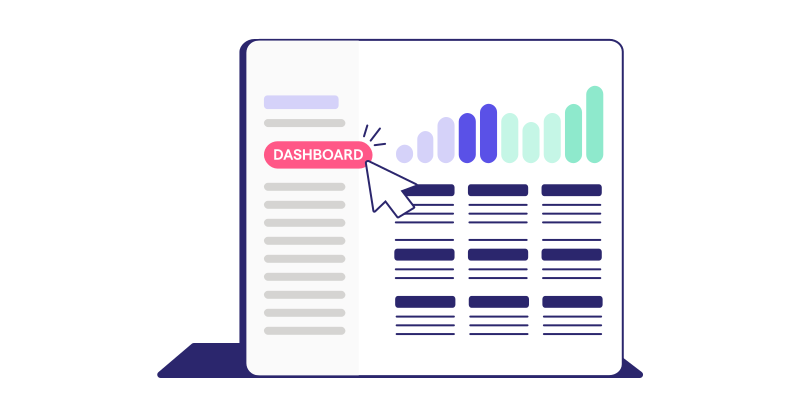
The reporting layer is where completed CAS work becomes visible and valuable to clients, and where switching costs can be highest. Vendors are competing hard here. Crunchafi's September 2026 acquisition of BUCS Analytics added 150-plus data integrations to its CAS reporting platform.
Data portability before you commit
Reporting platforms that store client dashboard data in proprietary formats make switching operationally painful, since teams have to rebuild every client view from scratch.
Run two tests before committing. First, export a live client dashboard in CSV, Excel, or PDF and confirm the output is usable outside the platform. Second, document your custom KPI configurations and verify you can recreate them elsewhere.
In CAS, dashboards are often the primary deliverable clients see, so a failed portability test signals a client-visible disruption. Understanding what makes a strong business dashboard helps clarify what you'd need to recreate.
AI-assisted reporting in current CAS stacks
AI-assisted reporting features, including anomaly detection and narrative generation, are now standard in many CAS reporting tools, so treat them as a checklist item.
The key question is whether these AI features work on the firm's existing data model. If a vendor requires migrating client data into a proprietary format first, that migration is an added lock-in cost.
When reporting tools become the lock-in layer
A reporting platform becomes the stack's highest lock-in risk the moment a client logs in directly. Once a client is accustomed to that interface, switching platforms means managing a client-visible change. That risk compounds with every additional client who gets access.
Before that number grows, check the platform's contract terms for data export rights and white-labeling options. This is especially relevant as AI adoption accelerates reporting tool changes.
4. Practice management and workflow
Practice management is the internal coordination layer encompassing job and task management, deadline tracking, staff capacity, and client communication logs. When billing and practice management stay disconnected, completed work sits inside the task system without triggering an invoice. That gap is one of the most common sources of revenue leakage in CAS firms.
Ignition integrates with practice management platforms, including Karbon. That connection means a completed job can hand off to billing automatically, turning a common leak point into a closed loop.
5. Proposals, billing, and payment collection
Most CAS stacks have a gap between a signed client agreement and a collected payment. Firms fill it with a Word engagement letter, a separate e-signature tool, a manually created invoice, and a follow-up email chasing payment. Each handoff is a failure point.
The sections below test how well your stack turns that disconnect into one smooth workflow.

Layer-wide stack connection
The proposals-to-payment layer connects every other stack category by turning a signed client agreement into operational and financial action. When a client signs in Ignition, the connection to Karbon triggers job creation automatically.
Billing syncs invoices directly to Xero or QuickBooks Online. Smart Billing handles variable charges, and collected payments reconcile back to the ledger without manual entry. Each handoff is a direct integration, which is what makes this layer the connective tissue of the stack.
Signed agreement to collected payment
Most CAS firms have a signed engagement letter sitting in one system and a billing process running in another, with no automated handoff between them. Revenue collection depends on someone remembering to set up the invoice.
Ignition Proposals automates that handoff instead. When a client signs, billing starts automatically, and payment authorization is collected upfront, replacing the separate invoice and the follow-up chase. Many Ignition customers report reduced late payments because the payment ask happens at signing.
Variable billing by headcount or payroll
Variable billing tied to client headcount or payroll data is a defining feature of CAS engagements, and most billing tools need manual calculation to handle it. That manual step is manageable at 30 clients. At 80 clients, it becomes a material time drain that caps firm capacity.
Ignition removes that ceiling by syncing directly with Gusto, Xero, and QuickBooks Online to auto-calculate variable charges from current payroll data, eliminating the monthly work of pulling headcount figures and adjusting invoices by hand.
Engagement letter billing trigger
Engagement letters are a compliance requirement, yet most firms still manage them through Word templates and email threads, creating legal exposure and billing delays in the same workflow.
With Ignition's Contracts & Engagement Letters, a signed letter automatically triggers billing, connecting compliance and cash flow in one step. For firms with 100-plus clients, bulk sending and renewal management during tax season make this especially critical. Manual workflows can't handle that volume without slipping.
6. Client communication and document workflow
The client communication layer is where clients experience your firm's service quality directly. It covers secure document sharing, client messaging, e-signature for standalone documents, and portal access, distinct from the proposal and engagement letter workflow in category five.
When this layer sits disconnected from the billing and engagement layer, clients receive documents that don't reflect their current agreement terms. That inconsistency creates confusion and delays payment.
AI-assisted communication tools are emerging in this category. Apply the same test as reporting: Does the feature work on your existing client data, or does it require a new data model? Your client lifecycle management process depends on the answer.
Per-category evaluation checklist
Every platform you're evaluating this buying season deserves the same three-part test: integration depth, workflow handoff quality, and lock-in risk. These aren't separate projects. They're a repeatable sequence you run before committing to any category. Use the buying signals below to work through each dimension.
Integration depth questions to ask every vendor
A native integration is categorically different from a Zapier-dependent connection. At 30-plus recurring clients, only native integrations are reliable enough to carry CAS workflows without breaking.
Ask every vendor these five go/no-go questions before committing:
- Does the integration sync in real time or on a schedule?
- Does it require a third-party connector?
- What happens when either platform updates its API?
- Is the integration maintained by the vendor or the community?
- Can the firm test it in a sandbox before purchasing?
A vendor that can't answer all five clearly is signaling integration risk worth taking seriously.
Workflow handoff tests before you buy
A demo cannot prove that cross-platform handoffs work in your actual stack. Test them in a live trial with three specific checks:
- Sign a proposal and verify it triggers a billing schedule automatically.
- Process a payroll run and confirm the journal entry appears in the ledger without a manual export.
- Complete a task in your practice management tool and check that it triggers an invoice or billing notification.
Any handoff that requires a manual step in the middle is a workflow gap. At 30-plus clients, every manual step compounds. The test is whether the handoff is automatic, not just possible.
Lock-in risk signals across all six categories
Lock-in risk is highest in the ledger, reporting, and billing layers because those accumulate the most client data over time. Across all six categories, four signals flag compounding risk:
- Proprietary data formats with no standard export
- Pricing tiers that bundle features you don’t need
- Contract terms that penalize early cancellation
- Client-facing access that makes a future switch visible outside your firm
The longer a platform runs, the more migration costs compound. Evaluating these signals before committing is cheaper than managing them after client data and client access dependencies have accumulated.
Which category to fix first
The six categories aren't equally urgent, and treating them that way is where most CAS stack evaluations go wrong. The proposals, billing, and payment collection layer is the one most firms have never formally treated as a stack category at all, which makes it the most likely place scaling friction and revenue leakage are hiding right now.
If billing is disconnected from signed agreements, that's the first thing to fix. If engagement letters are still handled manually, that's the second priority. If reporting tools have no data portability guarantee, evaluate that before the next renewal cycle.
Technology investment is a capacity and revenue decision, and it belongs in the same conversation as hiring and pricing.
Connect your proposal-to-payment workflow
Turn signed engagements into billed, paid work automatically.
Frequently asked questions
-
No fixed average tool count exists. A scaled CAS practice typically needs tools across six functional categories: general ledger and bookkeeping, accounts payable and payroll, reporting and dashboards, practice management and workflow, proposals and billing and payment collection, and client communication and document workflow. Each category may involve one or more tools, and the count matters less than whether those tools exchange data without manual intervention. CAS practices that continually invest in technology serve roughly 50% more clients than the average respondent, 100 versus 67, suggesting that stack quality outweighs stack size as a growth lever.
-
A native integration is built and maintained directly by the vendor, pushing data between platforms in real time without a third-party connector in the middle. A Zapier-dependent connection routes data through an external automation layer, which introduces sync delays, additional failure points, and a dependency on a third platform's uptime and pricing. For CAS firms billing 30 or more recurring clients, only native integrations are reliable enough to support automated billing, payroll journal entry sync, and proposal-to-invoice workflows without manual intervention.
-
Switching reporting platforms becomes client-visible the moment any client has logged directly into the platform, because the dashboard interface they see will change or disappear during migration. This is a lock-in risk that compounds with client count: the more clients with direct dashboard access, the higher the external switching cost, separate from any internal data migration work. Evaluating whether a reporting tool allows full data export and white-labeling before granting client access is the practical way to preserve flexibility without disrupting client relationships.
-
When payroll platforms don't push journal entries to the ledger automatically, someone on the team performs a manual export every pay cycle, and that manual step introduces both delay and error risk into variable billing calculations. For CAS engagements priced on a per-employee or payroll-linked basis, a missed or delayed payroll sync means invoices go out with stale headcount figures, which creates client disputes and revenue leakage. Platforms like Ignition's Smart Billing address this by syncing directly with Gusto, Xero, and QuickBooks to auto-calculate variable charges, removing the manual calculation step entirely.
-
Consolidating those four functions is realistic, and it's the structural change that eliminates the most common revenue leakage point in CAS firms: the manual gap between a signed engagement and a collected payment. Most firms currently handle this across disconnected tools (a Word template for the engagement letter, a separate e-signature tool, manual invoice creation in the ledger, and a follow-up email for payment), with each handoff creating a potential failure point. Ignition connects all four in one workflow, where a signed engagement letter automatically triggers billing and collects payment authorization upfront, with Ignition customers reporting reduced late payments as a result.