What is a client lifecycle management process?



 Copied to clipboard.
A signed engagement letter sits in an inbox for days while the client waits for the first invoice.
A client lifecycle management process is a structured way for a professional services firm to manage every stage of a client relationship, from proposals and signed agreements through onboarding, billing, collections, renewals, and offboarding. It connects those stages so scope, payment terms, client data, and revenue don't get lost during manual handoffs.
Firms billing dozens of clients across retainers and project work feel this gap every month: spreadsheet fee calculations, chased invoices, and renewal terms nobody updates.
The seven connected stages below help keep a client relationship running while showing where spreadsheets and disconnected tools can create gaps.
Key takeaways
- A client lifecycle management process gives professional services firms a clear structure for managing proposals, contracts, billing, collections, renewals, and offboarding.
- Customer relationship management tracks client interactions, while client lifecycle management connects the full journey from first proposal to final invoice.
- Disconnected tools can create manual handoffs that slow down billing, weaken scope control, and make the client experience less consistent.
- Automating billing and collections within the client lifecycle can help firms reduce payment follow-up and protect cash flow.
- Connecting engagement letters to billing and payments gives firms a clearer way to manage compliance, revenue, and client growth in one workflow.
Client lifecycle management vs. CRM: What's the difference for service businesses?
Customer relationship management (CRM) tracks client interactions, while client lifecycle management (CLM) connects the agreements, billing, payment, renewal, and service handoffs that run the relationship. A CRM record holds emails, call notes, and contact preferences, giving you a history of the relationship.
Professional services firms need more than a history. Engagement letters set scope, retainer billing runs on a schedule, variable fees shift with client activity, scope changes require documentation, invoices need collecting, and renewals require a pricing decision.
Those processes typically extend beyond a traditional CRM. A signed engagement, by contrast, can connect billing setup, payment collection, and renewal timing to the terms the client accepted.
Run this diagnostic on your own operation. If the problem is missing context on who said what, that's a CRM data issue. If signed agreements, invoices, payments, and renewal dates live in separate systems that don't talk to each other, that's a lifecycle problem. For more on strengthening the relationship side, see these ways to improve customer relationships.
The seven stages of a client lifecycle management process for professional services firms
A professional services firm needs seven connected stages to run the client relationship from proposal to offboarding. Each stage hands off to the next, so a gap in one can create rework in the stages that follow.
Use this sequence as an audit checklist. For each stage, mark what's automated, what's standardized, what's documented, and who owns it.
- Win
- Sign
- Onboard
- Bill
- Collect
- Renew and expand
- Offboard
1. Win: Turning proposals into signed engagements
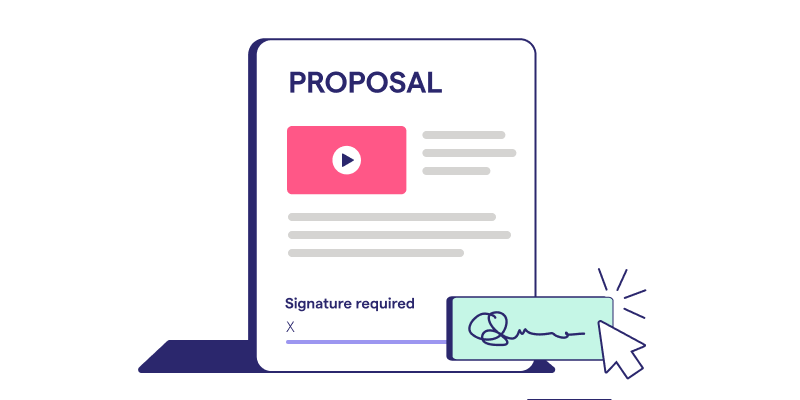
The win stage establishes lifecycle control by locking in value, scope, price, and payment terms before any work begins. Once a prospect sees an online proposal with tiered pricing options, the commercial decision becomes clearer: compare packages, pick one, and accept.
It's also the moment to capture payment authorization before work begins, rather than after the first invoice goes out.
Standardize proposal templates so every offer clearly defines the service package, pricing, and billing cadence. That standard helps ensure onboarding only starts once the commercial groundwork is in place.
2. Sign: Contracts and engagement letters
The sign stage turns the proposal into clear operating terms for scope, billing, payment timing, and each party's responsibilities. Once a client signs, that document records what work will happen, what gets charged, when payment is due, and who is accountable for what.
Every active engagement letter should spell out services, fees, payment terms, responsibilities, and how scope changes get handled.
The agreement can't sit as a standalone PDF in an inbox. Review standardized terms, collect e-signatures, retain the accepted agreement, and connect that acceptance to billing setup using the terms already agreed to.
3. Onboard: Setting up the client relationship
Onboarding is the handoff that turns a signed commitment into active service delivery. It works when client data, system access, kickoff tasks, responsibilities, and billing setup move through one connected workflow instead of scattered emails and spreadsheets.
A defined sequence can connect proposal acceptance to client intake, access requests, kickoff tasks, service activation, and billing setup.
Map that acceptance event using this client engagement checklist and this guide to client onboarding to keep each step moving after acceptance.
4. Bill: Automating recurring and variable fees
Billing has to match what the signed agreement says, whether that's a flat retainer, a variable fee, or project work. Recurring and variable charges can follow different rules within the same workflow, with tools like Smart Billing and AutoPricing supporting linked fee updates and renewal increases.
For each service, document the billing basis, frequency, source data, and renewal rule. That record helps recurring and variable charges generate consistently month after month.
5. Collect: Getting paid without the chase
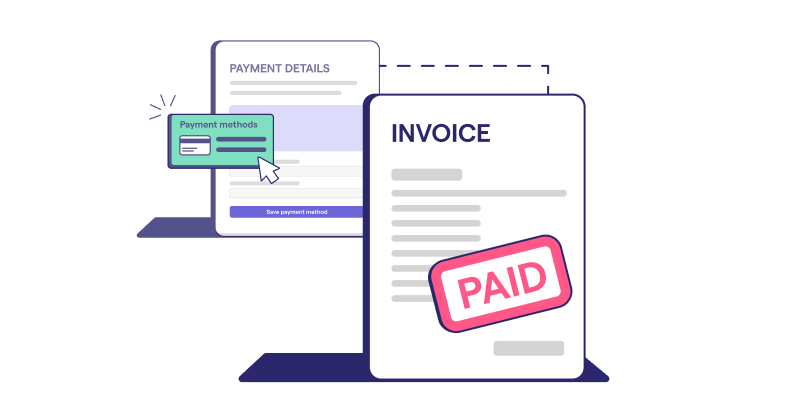
Collections belong inside the client lifecycle from the start because chasing late payments erodes trust, strains cash flow, and eats up staff time better spent on billable work. Waiting until an invoice is overdue to think about collections creates unnecessary follow-up.
The firm can capture payment authorization when a client accepts the proposal, before the first invoice goes unpaid. That authorization can allow agreed charges to be collected when they’re due, reducing separate payment requests and reminder emails.
Existing invoices already sitting in Xero or QuickBooks Online don't have to stay stuck in manual follow-up either. Tools like AutoCollect can bring those balances into the same collections workflow.
6. Renew and expand: Capturing scope changes and growth
Renewal and expansion protect margin by turning a client's changing needs into updated scope and revenue the firm bills for. Payroll growth is a common trigger. For example, a client may hire five new employees, and the original per-head fee no longer covers the actual work.
Check the signed scope first. If it's a one-off spike, charge the extra work with Instant Bill. If headcount growth is permanent, update the ongoing service through an amendment, add an upsell for new work, and flag the account for a renewal price review, as outlined in these client management best practices, rather than rolling the contract over unchanged.
7. Offboard: Closing out the relationship cleanly
The offboard stage closes the relationship cleanly by completing final billing, transferring required data, removing access, and documenting termination. Offboarding works best as a planned lifecycle stage, governed by the terms both parties already signed, rather than a scramble after a relationship sours.
Start by reviewing the termination clause in the original engagement letter to confirm notice periods and outstanding obligations.
Next, address final billing for completed work and any outstanding payment in line with the agreed terms and offboarding process.
Then hand off required client data, remove system access, and retain records according to your firm's policy. Close with formal documentation; CPAI's guidance on client termination letters is a useful reference for that final step.
Why disconnected point tools break the client lifecycle
Disconnected point tools break the client lifecycle by forcing manual handoffs between proposals, contracts, billing, and collections, so no single workflow carries accepted terms forward.
Most firms run this as a patched-together stack: Word templates for engagement letters, a standalone e-signature tool, spreadsheets for tracking fees, an accounting platform for invoicing, and manual email follow-up for anything overdue.
That friction matters when operational efficiency is under pressure, with FSB research showing small-firm growth confidence at its lowest recorded level.
Audit your own stack: Name which system owns scope, signature, billing, payment authorization, collections, and renewal, then flag every handoff that needs rekeying or a reminder.
A contract-only tool won't close that gap on its own. When choosing a contract management system, firms need to look beyond storage and signatures to see whether it also connects proposal, billing, payment, scope, and renewal workflows.
The hidden cost of manual handoffs between systems
Manual handoffs between client systems cost a firm time and money through delayed actions, duplicate data entry, billing leakage, and a client experience that feels disjointed from one stage to the next. A signed proposal sitting inside an e-signature tool doesn't automatically become an invoice. Someone in finance has to notice the signature, rekey the fee terms into the accounting platform, and manually create that first bill.
Every step in that handoff adds a wait state where nothing moves until a person intervenes.
That delay pushes back cash collection and adds a follow-up task nobody budgeted for. Trace one recently signed engagement from acceptance to first payment, and note every duplicate entry, missed trigger, and manual reminder along the way.
How Ignition connects every stage of the client lifecycle in one platform
Ignition connects proposal-to-cash stages so accepted scope and payment terms flow into billing, collections, and renewals without separate manual systems. Instead of a stack of Word files, e-signature tools, spreadsheets, accounting platforms, and follow-up emails, the same client terms can carry through the revenue workflow.
Ignition is one option for firms evaluating how to close the gaps found in a proposal-to-cash audit. Each capability below maps to a specific lifecycle friction point: agreements, billing, pricing, payments, and collections.
Contracts and engagement letters that trigger billing automatically
Capability: Ignition's Contracts feature places agreements inside the revenue workflow, so a signed engagement letter can trigger billing instead of creating a separate task. Once a client accepts, billing follows the agreed terms.
Workflow at scale: For high-volume tax season, standardized templates help keep terms consistent across engagement letters, while bulk sending gets renewals out to multiple clients at once. Built-in e-signatures capture approval directly, and amendments can document smaller scope changes.
Checklist: Check whether a signed agreement can create a record, capture every required signature, apply standardized
Smart Billing and AutoPricing for recurring and variable fees
Capability: Smart Billing and AutoPricing help keep billed amounts aligned with signed services and current pricing rules. Recurring retainers and variable, usage-linked charges can run through the same workflow instead of separate manual processes.
Integration: Smart Billing pulls variable fee data from linked sources, so a bookkeeping fee tied to headcount or transaction volume can update from Gusto, Xero, or QuickBooks data rather than a spreadsheet someone rebuilds each month.
Workflow trigger: AutoPricing applies planned price increases across affected clients. Set the percentage or dollar increase at renewal, then apply it across multiple accounts.
Checklist: Check whether your current process handles recurring and variable fees together, updates linked quantities automatically, and applies increases across multiple clients.
Payments and Collections and AutoCollect for faster cash flow
Capability: Ignition's Payments and Collections lets you attach payment details to a proposal at the point of signing, so the client authorizes credit card or ACH payment for agreed charges up front.
Workflow trigger: Once billing runs, payment can be collected against that authorization instead of relying on a separate payment request or follow-up email.
Integration: For balances already sitting in Xero or QuickBooks Online, AutoCollect brings eligible invoices into an automated collections workflow, reducing reminder emails a bookkeeper would otherwise send manually.
Outcome: This workflow can reduce late-payment follow-up and time staff spend chasing invoices. Pull your current invoice list and count how many still require a separate payment request or manual nudge to get paid.
Run one connected client lifecycle instead of five disconnected tools
One connected client lifecycle keeps scope, billing, and payment terms tied together instead of split across five disconnected tools. A scope change mid-project becomes harder to manage when no system tracks what was agreed to against what's being delivered. That continuity carries the same accepted terms from the original proposal through every invoice, renewal, and offboarding conversation that follows.
Ignition connects engagement letters, billing, and payment collection into one workflow, so scope changes can flow into updated pricing instead of waiting on someone to notice. Firms running Contracts and Engagement Letters alongside Smart Billing and AutoCollect spend less time chasing the gap between what clients signed and what they're paying.
Stop chasing what clients owe.
Connect signed terms directly to billing and payments with Ignition, so nothing falls through the cracks.
Frequently asked questions
-
Ownership usually sits with firm leadership or operations, with clear input from partners, client managers, finance, and administrative teams. The owner is responsible for keeping proposals, engagement terms, billing rules, renewals, handoffs, and exceptions consistent across the firm.
-
Useful metrics include proposal acceptance time, signed engagement coverage, billing accuracy, collection speed, renewal rate, and revenue captured from scope changes. Together, these measures show where clients stall, where revenue leaks, and where automation could reduce manual follow-up.
-
A client lifecycle management process can start improving within a few weeks once a firm sets up templates, billing rules, and payment authorization. High-volume firms can reduce disruption by phasing the rollout by client segment, service line, or renewal date while gradually moving legacy agreements into a standardized process.
-
Legacy client agreements can remain part of the process, but firms should review unclear scope, pricing, and payment terms before automating. Many firms use renewals, price changes, or service updates to move clients onto standardized terms, with updated proposals and engagement letters becoming the source of truth for billing.
-
Firms should clean up service lists, pricing, engagement terms, client records, and payment preferences before moving their client lifecycle management process into Ignition. Then map each service to its billing frequency, renewal timing, variable-fee data source, and accounting integration path, prioritizing recurring clients because standardized retainers often offer the fastest operational improvement.