Bring in time from your practice management system or track it in Ignition. Review work in progress (WIP) against agreed scope, adjust what you need, then invoice and collect in one place.
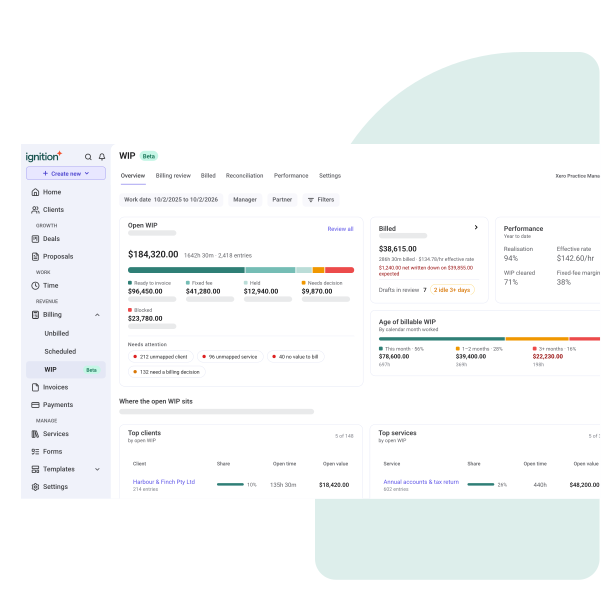
Pull approved time from Karbon, Financial Cents, XPM, QuickBooks Time or Practice CS. Or track it in Ignition.
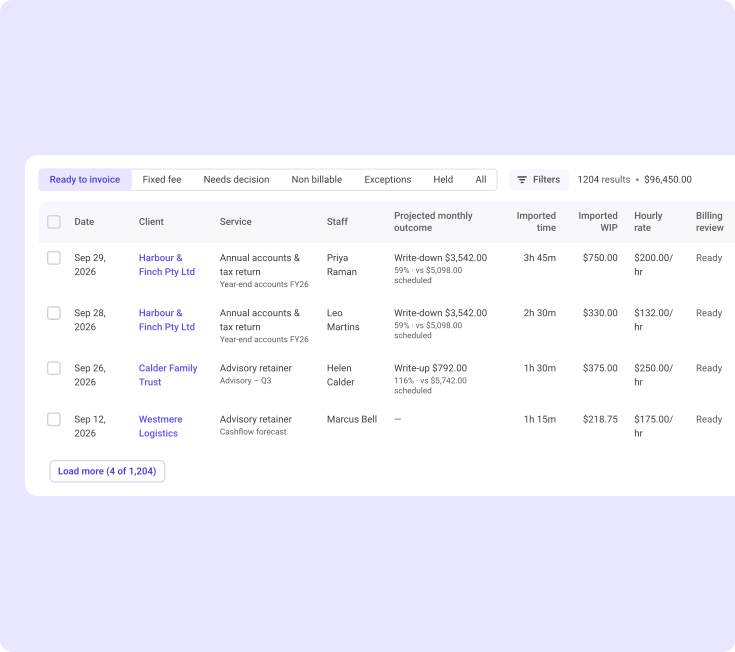
Time is matched to each client's agreed services. Your mappings stick, so you don't redo them every month.
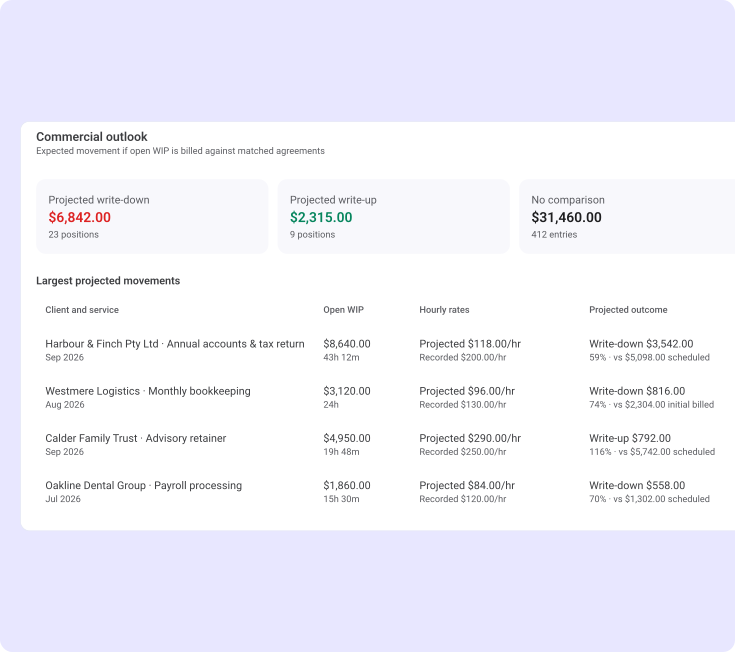
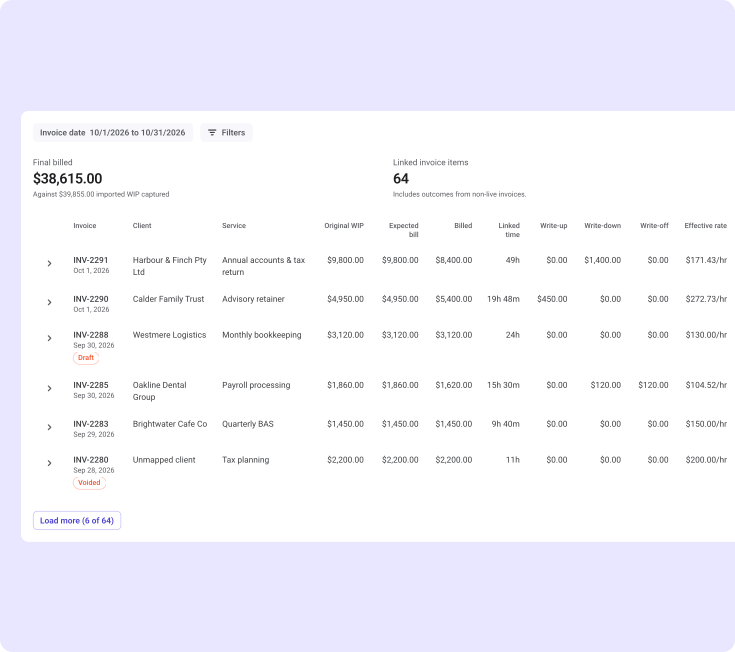
Write up, write down, write off or carry forward each entry. The invoice totals every adjustment as you go.
Create the invoice, clear the scheduled billing item and collect payment without leaving Ignition.
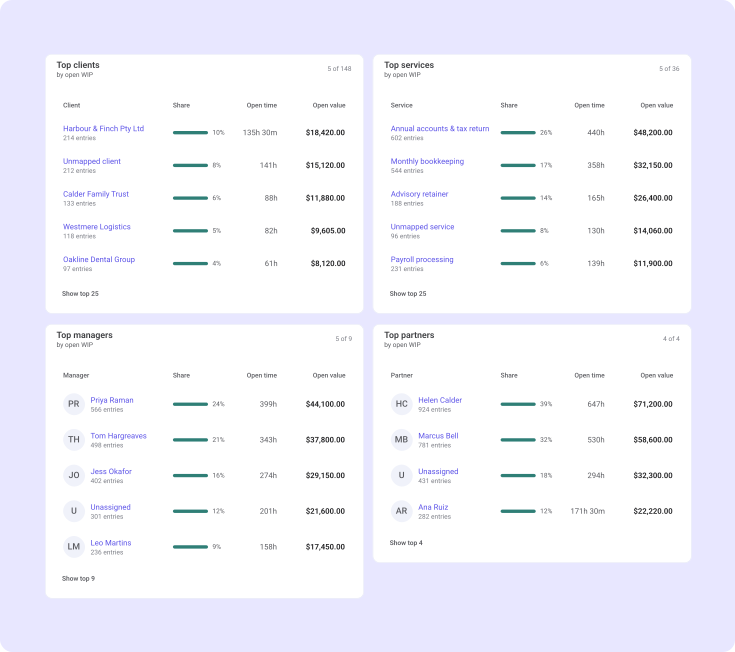
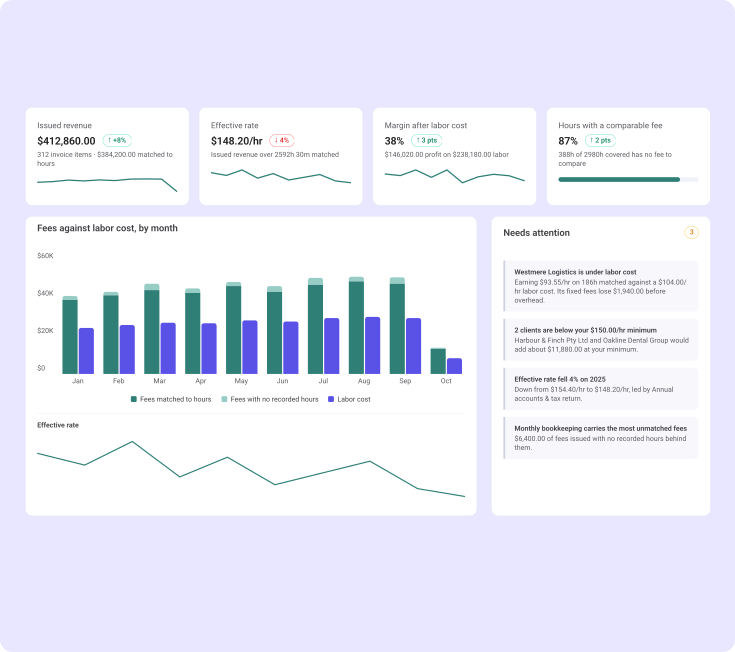
Track realization, effective hourly rate and margin across fixed-fee and hourly work, right where you bill.

Impress clients with branded online proposals that are easy to sign.
Learn more

Automate invoicing and get paid every time with ease.
Learn more

Collect payments automatically and increase cash flow.
Learn more

See projected revenue and billing at a glance.
Learn more

George Leppert
The Leppert CPA Group- Chief Operating Officer
Unlock efficiency and profitability with integrations to accounting, practice management, project management tools, and more.
Find out more


Bill hourly and fixed-fee clients from one view, with realization and effective rate on every engagement.
Track time in Ignition or your practice tool, then bill catch-up and cleanup work without spreadsheets.
Track time against each retainer and see when the same fee starts covering more work.
Log hours with the built-in timer and turn approved time into invoices clients can pay online.
Professional services businesses use Ignition to automate billing, collect payments, and manage client engagements seamlessly.
Review billable time by client and project, adjust entries, and invoice with a clear audit trail.
See why thousands of professional services businesses use Ignition to grow their business with a 14 day free trial. No credit card needed.
WIP billing brings time and work in progress into Ignition so you can review completed work, decide what to bill, and create invoices. Time is matched to each client's agreed services, so every hour has a home before it's billed.
You can import time from Karbon, Financial Cents, XPM, QuickBooks Time and Practice CS (through the Ignition Desktop Connector). You can also enter time or run a timer directly in Ignition.
No. Your practice management system or time tracker stays the system of record for the work itself. Ignition handles the billing decision, the invoice and the payment.
Fixed-fee work is reviewed against the agreed fee, not billed a second time. Imported time shows you effort, realization and effective rate, so you can spot scope creep and raise pricing conversations early.
Yes. You can write up, write down, write off or carry forward individual entries before you invoice. Written-off time isn't deleted. It stays visible in your performance and realization reporting.
It depends on the system. With the Practice CS Desktop Connector, invoices issued in Ignition are created back in Practice CS. With Karbon and Financial Cents, Ignition doesn't mark source time as billed yet, so follow your firm's reconciliation process.
WIP billing is available on the Core plan and above.
Connect your time, review WIP and get paid, all in Ignition. Start your 14-day free trial today.


Average based on thousands of reviews