Proposal automation for accounting firms: 5 key steps



 Copied to clipboard.
A client says yes on a call. The proposal goes out as a Word doc. Then two days pass, then three, and the follow-up emails start. It's a familiar cycle for CPA practices and bookkeeping firms, and it costs more than time.
Proposal automation for accounting firms replaces that sequence through a purpose-built platform that builds, sends, tracks, and gets client proposals signed. Instead of emailed PDFs and manual follow-up, it offers reusable service templates, built-in e-signature, and engagement letters that roll right into billing.
This piece is written specifically for accounting and bookkeeping firm owners, not freelancers or agencies. The focus is the proposal stage: from the moment a prospect says yes to the moment a signed engagement letter is in hand.
For what happens after signing, including scope creep and post-signing revenue leakage, this overview of accounting firm automation covers the broader picture.
What follows is a five-step proposal workflow built for firms that want faster client onboarding and less administrative drag, plus three criteria for evaluating whether a platform can support it.
Key takeaways
- Proposal automation shortens the time between a verbal yes and a signed engagement by replacing manual drafting, emailing, and follow-up with one connected workflow.
- A service library makes every proposal faster to build and keeps pricing and terms consistent across the firm.
- Combining the proposal and engagement letter into one signing event removes a second document and a second chase.
- Collecting payment authorization at signing may be the most useful structural improvement at the proposal stage, because billing permission is in place before work begins.
- Generic invoicing and standalone e-signature tools handle one step each, so they do not cover the path from draft to signed engagement.
Why do manual proposals stall before the client signs?
Manual proposal workflows build delays into every step between a verbal yes and a signed engagement. Drafting, delivery, and document tracking each rely on a separate human handoff, and each one creates a gap where momentum stalls.
Three specific breakpoints drive most of that delay:
- Building every proposal from scratch
- Chasing signatures across emailed documents
- Managing the proposal and engagement letter as separate files
Building every proposal from scratch
Starting from a blank document or an old proposal makes each one slow to produce and inconsistent in pricing and wording. When staff copy and edit a previous engagement, outdated fees, superseded terms, or stale service descriptions come along for the ride.
A client ends up reviewing a proposal built on last year's pricing. The firm doesn't catch it until after the conversation has already started.
Reusable service libraries remove that risk entirely. When approved scope language, current pricing, and billing cadence live in one place, staff select instead of retyping. Eliminating manual handoffs like this is what keeps proposals accurate and consistent without adding time to the process.
Chasing signatures across emailed documents
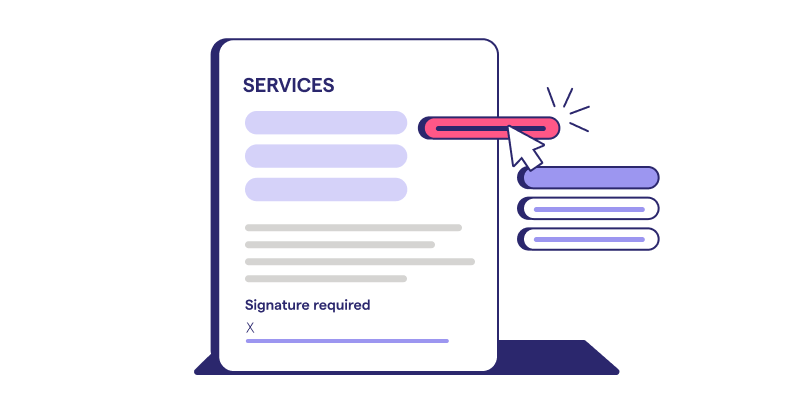
Emailed proposal attachments leave the firm with no view of whether the client opened, reviewed, or forgot the document, which makes every follow-up step a guess.
The sequence is familiar: a polite reminder email on day three, a second reminder a few days later, then a phone call to someone who may not have read a single line of the proposal. Each step costs staff time that could go toward client work.
Meanwhile, the engagement sits in limbo. The client hasn't said no, but they haven't signed either. Staff are managing a follow-up queue instead of onboarding new clients, and the firm has no way to know which proposals need attention and which are moving forward.
Managing the proposal and engagement letter as separate files
Separating the proposal and engagement letter makes the client sign twice and makes the firm track two files for one engagement decision. One document outlines the services and fees. The other confirms the terms. Both require a signature before work can start.
That means two send events, two follow-up threads, and two storage locations to keep in sync. If either document stalls in a client's inbox, the engagement stalls with it.
What does proposal automation mean for CPA firms?
Proposal automation connects the path from an approved template to a signed engagement. Generating the document is only one piece. The workflow covers creation, delivery, client acceptance, and the signed engagement letter as one continuous sequence.
Point tools handle pieces of that path in isolation. FreshBooks and Stripe Billing manage invoicing and payment processing. Standalone e-signature tools collect a signature. Emailed PDFs and Word documents produce something a client can read. None of them connect those steps into a single pre-billing workflow where a signed proposal becomes a ready engagement.
A connected proposal workflow also ties reusable service packages directly into what the client sees and accepts. Instead of rebuilding scope and pricing language each time, staff draw from a library of pre-approved services. The result is a consistent proposal that reflects current pricing and terms from the start.
For firms thinking through how to package bookkeeping services, that reusability is where the efficiency gain begins.
The proposal workflow, step by step
An automated proposal workflow runs as one connected sequence, where each completed step feeds directly into the next. Automation removes the manual handoffs between them, so nothing stalls while waiting on a person. The five steps below follow that order from first draft to signed, billing-ready engagement.
Step 1: Build proposals from a service library
A service library replaces the blank document. Staff select pre-approved services and assemble a branded proposal in minutes.
Each service in the library stores its own pricing, scope language, and billing cadence. Pull a service into a proposal, and those terms come with it, consistently, every time. There's no manual re-entry or risk of outdated rates slipping through.
This consistency matters most when your firm is growing. Scaling a bookkeeping or accounting business depends on repeatable processes, and a service library makes the proposal stage one of them. More staff can send proposals without supervision, and every client receives the same standard of terms from the first touchpoint.
Step 2: Offer packaged options and recurring bundles

Packaged options let a client choose a tier or add-on in the proposal itself, instead of negotiating line items by email. Monthly bookkeeping, quarterly advisory, annual tax filing, and relevant add-ons can all appear as selectable options in a single proposal view.
A client reviewing the proposal might select a monthly bookkeeping bundle, add quarterly advisory sessions, and opt into annual tax preparation without a single follow-up email. The selection happens inside the proposal, and the agreed scope reflects exactly what they chose.
This keeps the focus on the client's decision. The proposal becomes the place where the engagement takes shape, with the client in control of what they're signing up for before they ever hit accept.
Step 3: Send the proposal and engagement letter as one document
In an accounting workflow, the proposal and the engagement letter can be one document, so one signature approves scope, fees, and terms. The client reviews a single object, signs once, and the engagement is formalized.
With separate documents, the client signs the proposal, then receives the engagement letter as a follow-up step. That gap creates delays, confusion, and a second round of chasing. Standalone e-signature tools capture a signature, but they don't connect it to billing or client onboarding.
Step 4: Track views and follow up automatically
Knowing when a proposal was opened, and being reminded automatically when it stalls, replaces follow-up based on guesswork. An opened status tells staff whether the client has seen the document at all, so every follow-up conversation starts from fact.
When a proposal sits without a response, automatic reminders send a consistent nudge on a set cadence. No one has to remember to check in, and no client slips through because a staff member was busy with other work.
A clear status view for every open proposal gives the team one place to see what needs attention. Pending, opened, and overdue proposals sit in a single queue, so follow-up effort goes to the right engagements.
Step 5: Collect payment authorization at signing and hand off to billing

Payment authorization collected at signing means the firm holds billing permission before work begins. When the client reviews the proposal, signs electronically, and supplies a payment method in the same step, agreed fees can be charged on schedule without a separate follow-up to collect card or bank details.
The signed proposal then feeds directly into billing, making the engagement ready to run.
See the proposal-to-payment workflow in action
Browse ready-to-use templates built for accounting and bookkeeping firms.
What should you look for in a proposal automation platform for accounting firms?
Evaluate proposal automation by how well it covers the pre-billing path, from creating the proposal through collecting a signed acceptance. Many invoice automation tools start after an agreement already exists. That's a different problem. The criteria below focus specifically on what accounting firms need before a client engagement becomes billable.
Engagement letter support built into the proposal
Built-in engagement letter support means the compliance document and the signing event are the same object. When a client signs, completing the first step of the onboarding process, one record captures the agreed scope, fees, and terms alongside that approval.
Keeping everything connected in a single record matters when a question arises later. There's no need to cross-reference a PDF proposal against a separate engagement letter to confirm what was agreed. The signed document is the source of truth.
With Ignition Proposals, the proposal and engagement letter travel together through one signing event. The firm and client interact with a single document, which means the approved scope and fees stay tied to the signature that authorized them.
Payment authorization at signing

Payment authorization at signing is the feature that most clearly separates a proposal platform from a generic invoicing tool. It captures billing permission at the moment a client agrees to the engagement.
Tools built around invoice or payment processing collect payment details after the work has started or the invoice has been sent. That gap creates a window where billing is stalled, and cash flow is uncertain.
That earlier capture directly supports stronger, more predictable cash flow from the first day of the engagement.
Client record sync with Xero, QuickBooks, and practice management at acceptance
A useful integration moves accepted client records into Xero, QuickBooks Online, or your practice management platform without manual re-entry. When a client signs, the data handoff should happen automatically: contact details, agreed services, and billing terms flow directly into connected workflows.
Evaluate whether the acceptance moment triggers that sync, or whether someone on your team still has to copy data across systems. If re-entry is required, the integration is incomplete.
For broader guidance on what to assess before connecting your proposal platform to accounting or practice management tools, this integration evaluation guide covers the key criteria.
How Ignition Proposals handles the proposal stage
In Ignition, the proposal is the contract, and an accepted proposal becomes the signed engagement.
Each stall point from a manual workflow maps directly to a capability inside Ignition Proposals. Instead of rebuilding scope and pricing from scratch each time, staff assembles proposals from a reusable service library with pre-approved packages and add-ons.
The proposal and engagement letter travel as one document, so when you land a new client, they sign just once using built-in e-signature. Payment authorization is collected at that same moment, replacing the gap between a signed agreement and a confirmed billing method.
What faster proposals mean for your firm
The gap between a verbal yes and a signed engagement is a workflow problem. Your clients aren't the cause. When proposals live in Word docs, engagement letters travel by email, and payment setup happens separately, every step creates a new opportunity for delay. Connecting those three moments into a single workflow eliminates that delay.
Eiduk Tax and Wealth cut client onboarding from 2–4 hours down to roughly one hour per client by automating intake and onboarding steps, an adjacent process, but a strong signal of what happens when manual handoffs get removed from the equation.
If you're evaluating whether your current proposal process meets that bar, the practical starting point is mapping where the handoffs break down: between proposal and signature, or between signature and billing.
Turn proposals into signed, billable engagements
Spend less time chasing signatures and more time serving clients.
Frequently asked questions
-
Proposal automation may suit smaller firms well, because every slow proposal costs the firm directly and there is no team to absorb it. A small CPA firm, Eiduk Tax and Wealth, cut client onboarding from two to four hours down to about one hour per client by automating intake and onboarding steps. Onboarding is not the same as proposals, but it shows how much time manual handoffs can take.
-
A proposal presents the services and pricing to win the work. An engagement letter documents the agreed scope, fees, and responsibilities once the client says yes. Many accounting firms combine the two so that one signed document does both jobs, which removes a second signature and a second file to track. Whether a firm needs separate documents depends on its own policies and professional guidance.
-
In a purpose-built proposal platform, the client typically opens a link, reviews the terms, signs electronically, and provides payment details in one session. Fewer steps usually means a shorter gap between a verbal yes and a signed engagement.
-
Yes, in platforms that store pricing and billing cadence at the service level. A tax-only client may sign a fixed-fee annual engagement, a bookkeeping client a monthly retainer, and an advisory client a tiered bundle. When these models live in a reusable service library, each proposal carries the right structure for its engagement type, and no one rebuilds the terms by hand for each client.
-
Start by knowing whether the client opened the proposal, because a reminder about an unopened proposal differs from a question about an open one. Send a short follow-up with one specific question, set a reminder cadence, and consider a proposal expiry date so decisions don't drift. Platforms with view tracking and automated reminders can handle the cadence so staff aren't chasing signatures by hand.