How accounting firms recover margin on borderline clients



 Copied to clipboard.
Some clients look profitable until you add up the time spent chasing their invoices, absorbing extra work that never made it onto a bill, and fielding calls that fall outside any agreed scope. Gut instinct flags them first. The numbers confirm it later.
That instinct about a difficult client is a valid starting point, and automated client fee collection gives it a structural answer. Automated client fee collection is the practice of capturing a client's payment authorization upfront, then charging that stored method automatically when invoices are due, so firms with recurring engagements get paid without manual follow-up on every billing cycle.
This piece gives you a concrete calculation to confirm or disprove suspicions about a difficult client, then connects each margin problem to a specific Ignition capability that addresses it directly.
The diagnostic framework covers collection friction, unrecovered scope work, pricing shortfalls, and billing delays as separate, measurable drains.
Key Takeaways
- Gut instinct about a problem client might be correct, but a three-variable profitability calculation turns suspicion into a defensible business decision.
- Collection overhead can tip a borderline engagement into unprofitable territory when manual follow-up consumes staff hours each billing cycle.
- Capturing payment authorization at proposal signing removes the payment conversation from the ongoing client relationship, making automated collection structurally different from faster reminders.
- Firms billing variable headcount-based fees carry a hidden monthly labor cost that compounds across every affected client, quietly eroding margin that aggregate revenue figures obscure.
- A confirmed negative margin result produces two actionable options: a systematic fee correction or a data-backed offboarding, replacing an awkward gut call with a clear business rationale.
When gut instinct points to a problem client
A client may be draining margin even when their invoices show up in your revenue, because the real costs live in staff hours, collection friction, and absorbed scope work that never gets billed.
Three signals tend to appear before any spreadsheet confirms the problem:
- The client regularly emails requests that fall outside the agreed scope.
- Their invoices consistently age past 30 days.
- Their work runs longer than estimated, month after month.
Each signal maps directly to a cost: uncompensated time, collection labor, or revenue that was earned but never captured. One or two margin-draining relationships can disappear inside aggregate revenue figures that look healthy at the top line.
If something feels off about a particular client, that instinct is usually pointing at something real. The profitability calculation covered next confirms what the operational signals are already suggesting. Cash flow strategies for accountants covers the broader financial context.
Calculate true cost to service one client
A client's actual margin contribution equals total fees collected minus fully loaded staff time minus the dollar value of absorbed scope work you never billed.
Pull the last 12 months of data and work through three inputs in order:
- Fees collected: Total revenue received from that client
- Staff time cost: Total hours logged multiplied by your fully loaded hourly rate
- Unbilled scope work: Dollar value of work completed but never invoiced
The fully loaded hourly rate combines salary, benefits, and overhead, then divides by billable hours. Two minutes with a spreadsheet gets you there.
Run the numbers on a client billing $12,000 annually. If logged hours cost $9,000 and absorbed scope work adds another $4,000, the result is negative $1,000. That client is a loss.
This calculation is the diagnostic step that separates a pricing conversation from an offboarding decision. Ignition's pricing strategy guide for accountants and bookkeepers covers how to set fees that protect margin from the start.

Signals a client is unprofitable before the math
Clients showing two or more recurring billing and collection failures belong on the shortlist for a full profitability calculation.
Four patterns reliably flag a problem before any numbers are run:
- Invoices aging past 30 days consistently, tying up cash that should already be in your account
- Scope conversations that stay verbal, with no change order ever raised, absorbing staff time that never gets billed
- Billing cycles requiring manual recalculation each month, adding hidden labor cost to every invoice run
- Payment follow-up consuming more than one staff touchpoint per invoice, turning collection into a recurring overhead line
The collection cost compounds quickly. Businesses using accounts receivable (AR) automation are 52% more likely to be paid within two weeks of the invoice due date than those relying on manual processes. Manual collection costs your firm time every cycle.
Stop plugging revenue leaks manually
See how accounting firms identify and recover earned revenue before it compounds.
How Ignition surfaces per-client revenue data
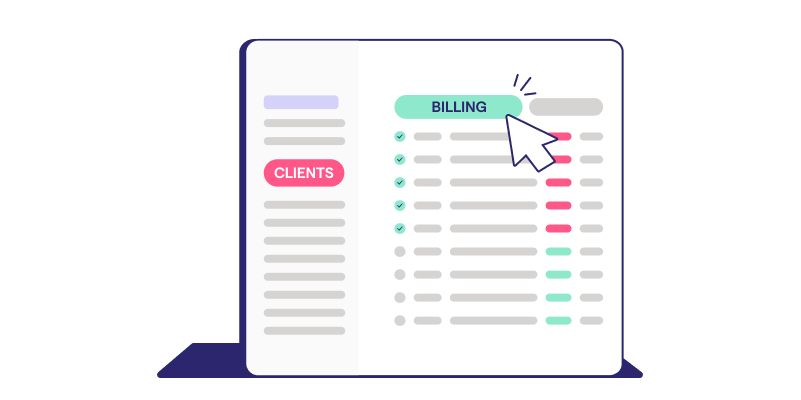
The Billing Hub in Ignition gives you a centralized view of all upcoming and outstanding invoices across every client, turning a profitability review into a quick data pull.
Because Ignition connects billing directly to signed client agreements, the data reflects what was scoped and what was actually billed. Scope variance becomes visible without cross-referencing multiple systems or reconciling figures by hand.
You can isolate a single client's full billing history, compare it against the agreed fee, and feed that directly into the margin calculation described earlier. The numbers are already there, tied to the agreement that created them.
That's what makes the review repeatable. Once the process works for one suspected client, the Billing Hub supports the same calculation across the entire client base. For firms looking to build this kind of visibility into a recurring standard, Ignition’s guide to agency subscription billing best practices outlines how to structure agreements so the data stays clean from the start.
Eliminate collection cost with upfront authorization
Upfront payment authorization can tip a borderline client back into profitable territory by removing recurring collection labor from the cost-to-service calculation entirely. Right now, each unpaid invoice triggers follow-up emails, calls, and staff time that never appears on a revenue report but absolutely hits your margins.
Collecting payment authorization once, at proposal signing, means that conversation never has to happen again.
Capturing payment details at proposal signing
Collecting card or ACH details at proposal signing removes the payment ask from every future billing cycle, so there’s no separate invoice email, follow-up, or waiting.
When a client accepts a proposal through Ignition, providing payment details is part of the acceptance step itself. That single action authorizes all future charges tied to the engagement and billing schedule agreed at signing.
Every subsequent charge runs automatically against those stored details. The client's payment method is on file, connected directly to the scope of work they approved.
The result is a structural shift. Around 78% of Ignition customers report reduced late payments because authorization happens before work begins. That removes the friction that creates collection cost in the first place.
AutoCollect on existing overdue invoices
AutoCollect extends margin recovery to eligible outstanding invoices imported from QuickBooks Online or Xero.
A common issue firms run into is that collection automation only helps future clients. AutoCollect addresses that directly. You can import your existing accounts receivable (AR) backlog from QuickBooks Online or Xero into Ignition's automated collection workflow without rebuilding client relationships from scratch or issuing new proposals.
The import process brings outstanding balances into the same collection infrastructure that handles new engagements. Clients receive a payment request through Ignition, and the firm stops managing follow-up manually.
AutoCollect works as a recovery mechanism too. Revenue that's already been earned but not collected stays within reach.
Removing payment requests from relationships
Upfront authorization protects long-term client relationships by making sure overdue invoices never put you in the position of chasing someone you've worked with for years.
A two- or three-year client relationship carries a different weight. Sending a payment reminder to someone who trusts you, and whose business you know deeply, introduces friction that a standard accounts receivable process was never designed to handle gracefully. That tension is real, and it affects how both sides show up in the relationship.
When you avoid the conversation, staff absorb it instead. Follow-up emails, calls, and status checks quietly accumulate inside labor hours that never appear on a client invoice. The collection cost is still there; it's just hidden.
Upfront authorization means no awkward payment discussions with long-standing clients. The margin improvement shows up directly in the hours your team gets back.
Variable billing without monthly manual recalculation
Smart Billing removes recurring fee-calculation labor by syncing headcount or usage data from Gusto, Xero, or QuickBooks Online directly into the billing workflow.
Without it, a firm with 40 clients on headcount-based fees opens a spreadsheet every month, pulls payroll data, recalculates each fee, and updates the invoice manually. Across 40 clients, that process adds up to a significant time cost, and every manual step introduces the chance for error.
Smart Billing replaces that sequence entirely. It pulls current headcount or usage data from connected platforms, calculates the variable fee automatically, and generates invoices without a single manual touchpoint.
That matters for profitability because manual billing labor feeds straight into the staff time cost in the client margin calculation. Removing it changes the margin picture for every affected client at once. That's one of several manual steps invoice automation can remove from your monthly workflow.
Reprice or offboard once the numbers confirm it
A confirmed negative margin calls first for scope correction or repricing. Offboarding is the right call only when neither option can restore an acceptable return.
Start with the scope variance. If approved work went unbilled, Instant Bill lets you charge for it immediately, without waiting for the next invoice cycle. For some difficult clients, recovering that absorbed revenue is enough to close the shortfall.
If the margin problem runs deeper, AutoPricing is the operational lever. It applies fee increases across multiple clients at once, so you can skip a string of uncomfortable one-by-one conversations.
When repricing and scope correction still leave a client in negative margin territory, the profitability calculation becomes the business case for offboarding. A revenue-to-cost ratio gives you a defensible, data-backed rationale, and that's what separates a professional offboarding conversation from one driven purely by instinct.
The numbers don't make the decision emotional. They make it clear.
Turn profitability data into a firm-wide standard
A minimum revenue-to-cost ratio applied at onboarding and reviewed annually turns a one-time client diagnosis into a margin management practice across your entire book.
Set the threshold once, then define the action it triggers. When a client falls below the ratio at an annual review, AutoPricing handles the correction systematically, pushing the fee increase across that engagement without manual recalculation or a separate repricing project.
The Billing Hub makes the annual review a quick scheduled task. Per-client billing data is already centralized, so pulling the numbers takes minutes.
Skipping this practice carries a real cost. Thirty-nine percent of U.K. B2B SMEs reported that cash flow pressures held back investment and growth over the prior year, with 55% of those affected naming late payment as the primary cause. Weak margins and slow collections compound at the firm level over time.
Repeatable systems like this one show you how to scale an accounting firm without adding overhead.
Stop guessing which clients are worth keeping
A client who triggers every warning signal (scope creep, slow payment, and fees that haven't moved in years) costs you more than frustration. The three-variable calculation makes the cost of keeping them visible and specific.
With that number in hand, the decision splits cleanly. Correct the margin through scope adjustments, AutoPricing, Smart Billing, and Instant Bill, or use the same data to support a professional offboarding conversation. Either outcome is defensible. Neither requires guesswork.
Ignition connects billing visibility, automated collection, and variable fee calculation in one place, so the profitability decision is grounded in numbers.
Run your first client margin audit
Ignition gives you the billing data, collection tools, and fee automation to make the call with confidence.
Frequently asked questions
-
Manual fee collection tends to become a visible margin problem at around 30 or more recurring clients. At that scale, the time spent chasing invoices, recalculating variable fees, and following up on overdue balances compounds into a labor cost that rarely appears in aggregate revenue figures. Firms below that threshold may still benefit from automation, but the return on switching is most immediate once collection overhead starts consuming meaningful staff hours each billing cycle.
-
Automated fee collection, when set up at proposal signing, tends to improve client relationships. The payment conversation happens once, upfront, and never resurfaces as an awkward follow-up after work is delivered. Around 78% of Ignition customers report reduced late payments, which suggests that removing the payment ask from the ongoing relationship removes friction.
-
Ignition supports card payments, direct debit and ACH, Apple Pay, and Google Pay as part of its automated collection workflow. Payment processing runs securely through Stripe, and collected payments reconcile automatically with connected accounting platforms including Xero, QuickBooks Online, and MYOB. Firms can also configure fee surcharge options, which can offset the cost of payment processing for practices that prefer to pass that expense to clients.
-
Ignition's AutoCollect feature imports outstanding invoices directly from QuickBooks Online or Xero and brings them into an automated collection workflow, without requiring a new proposal or signed agreement. This makes it a recovery tool for firms that already have an AR backlog. Firms concerned that automation only helps future clients can use AutoCollect to begin collecting on existing overdue balances immediately.
-
A fully loaded hourly rate is a staff member's total annual cost, including salary, benefits, and a proportional share of firm overhead, divided by their billable hours for the year. Using a fully loaded rate instead of a base salary figure is what makes client profitability calculations accurate. A client who looks profitable against salary cost alone may generate a negative margin once overhead is included, which is exactly the kind of problem that a three-variable profitability framework (fees collected minus loaded staff time minus absorbed scope work) is designed to surface.