How to reduce accounts receivable for good


 Copied to clipboard.
Most accounting firms don't have a collections problem. They have a billing timing problem. And if you're looking at how to reduce accounts receivable, that distinction changes everything about where to focus.
Normally, a bookkeeping firm finishes a month of client work, sends an invoice from QuickBooks Online, and then waits. A week passes. Then two. Someone pulls an aging report, flags the overdue balances, and starts sending reminders. The client eventually pays (or doesn't), and the cycle repeats next month.
It’s easy to blame collections issues and difficult clients. But the truth is that AR is piling up because the billing model creates a gap between when work is done and when payment is ever secured.
Closing that gap requires a structural change, not better reminder templates. This post walks through how to make that shift, from collecting payment authorization before work begins to clearing the backlog already sitting in your accounting platform.
Key takeaways
- The most effective way to reduce accounts receivable is to collect payment authorization at proposal signing, before work begins.
- Days sales outstanding can help firms diagnose whether late payments stem from billing timing, collections gaps, or scope management issues.
- Embedding payment terms inside a signed engagement letter, rather than an email, connects compliance directly to automated billing.
- Firms with existing invoice backlogs in Xero or QuickBooks Online can bring those overdue balances into an automated collection workflow.
- Unbilled out-of-scope work delays payment and inflates receivables, making real-time billing for additional work a practical AR reduction strategy.
Why AR keeps piling up
Most firms bill after the work is done, which means AR is built into the process by design. That creates a collection problem before the month even ends. With 30+ recurring clients, the delay compounds fast.
The reactive billing cycle that creates the problem
Most firms follow the same sequence: deliver the work, send an invoice, then wait. A bookkeeping firm handling 40 monthly clients typically emails invoices from QuickBooks, then manually pulls aging reports two weeks later to see who still hasn't paid.
Every step requires the client to act. They have to notice the email, open the invoice, approve it, and initiate payment. Each handoff is a place where nothing happens.
Word proposals, emailed engagement letters, and disconnected invoices create no payment commitment upfront. By the time the invoice arrives, there's no structure in place to collect automatically, just a reminder queue and a growing receivables balance.
What your DSO is actually telling you
A rising DSO rarely means clients are unwilling to pay. More often, it reveals a workflow problem inside your firm.
When a firm only sends invoices after month-end reconciliation, payment can't start until the invoice arrives. So lag is baked in before collections even begin.
Trace where the delay starts, whether it’s billing timing, collections follow-up, or unbilled scope changes. That's where to fix the process first.
The case for collecting payment upfront

The most effective way to reduce accounts receivable is to prevent it from forming. That means collecting payment authorization at proposal signing, before work begins.
By switching to upfront payment authorization collected through Ignition at engagement signing, firms can eliminate the follow-up cycle entirely. The payment runs automatically, no one has to manually send an invoice email, and you get predictable cash flow each month.
How upfront authorization changes the model
With Ignition, a client signs the proposal and authorizes payment in the same step, before any work begins. That authorization stays on file, so billing triggers automatically from the agreement without a second ask.
Compare that to a typical QuickBooks or emailed invoice workflow, where a firm completes a books cleanup project, then sends an invoice and waits. Payment depends entirely on the client acting again.
A firm using Ignition captures ACH authorization at proposal acceptance. When the cleanup wraps, the charge runs automatically, because the client already agreed to scope, terms, and payment on day one.
How Ignition's payment workflow works
When onboarding a new monthly bookkeeping client, Ignition sends the proposal, collects payment authorization, and sets the billing schedule in one workflow. Once the client signs, automated billing runs without manual follow-up. For firms managing the transition, adoption is straightforward.
Step 1: Send a proposal with terms
Ignition Proposals put scope, fees, and payment terms into a single branded online proposal, instead of making teams fight with clunky Word documents, email attachments, and separate contract files.
A bookkeeping firm, for example, can build a recurring monthly package with a fixed fee of $500 and payment collected on the first of each month, all within one proposal the client signs online.
The client sees one clear agreement, and nothing important gets buried in an email thread.
Step 2: Client signs and authorizes payment

With Ignition, e-signature and payment authorization happen in a single step. When a client accepts a proposal for monthly tax and bookkeeping services, they enter their ACH or credit card details at the same moment they sign, so there’s no separate invoice to follow up on later.
That gap between agreement and collection is where most delays start. Closing it means work can begin immediately, with payment already authorized.
Step 3: Billing triggers automatically at signing
Once a client accepts a proposal in Ignition, billing starts without anyone creating a separate invoice.
For a firm with 50 recurring clients, that means 50 monthly invoices no longer generated one by one. The time savings are immediate, and missed billing dates tied to someone forgetting to invoice simply stop happening.
Step 4: Payment collects without manual follow-up
Once a client accepts a proposal, Ignition's AutoCollect feature charges their saved payment method automatically, via credit card, ACH, or PAD, on the scheduled date.
A firm with 40 monthly retainer clients can collect every payment on the first of the month without a single manual touchpoint. That’s a meaningful time savings, especially during tax season when capacity is already stretched.
Clearing your existing invoice backlog
Upfront authorization prevents future AR problems, but it doesn't resolve what's already overdue today.
If you have dozens of unpaid invoices sitting in QuickBooks Online, manually contacting each client isn't realistic. Ignition's AutoCollect feature lets you connect those existing invoices and automatically charge clients on file, without individual outreach.
That means your AR improvement starts immediately. You don’t have to wait for new engagements to benefit.
Bringing Xero and QuickBooks invoices into AutoCollect
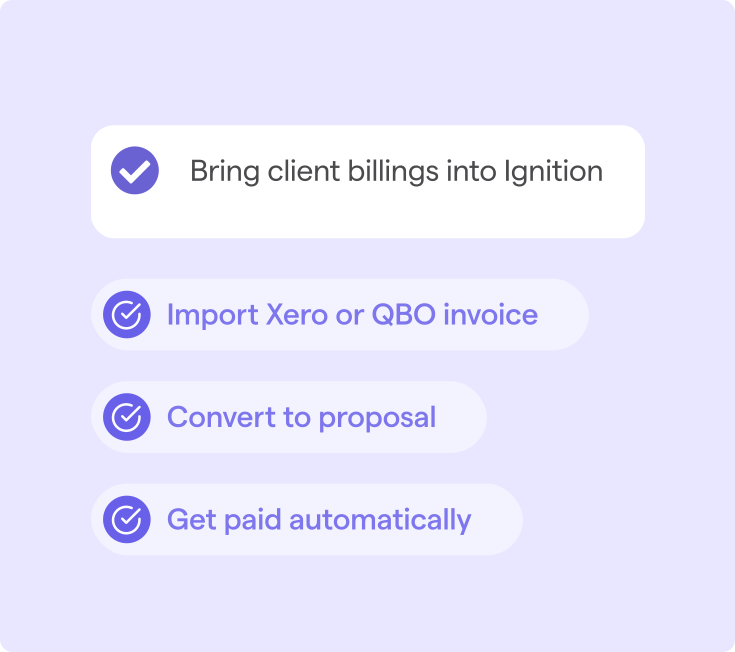
Once you've identified your AR backlog, AutoCollect lets you import outstanding invoices directly from Xero or QuickBooks Online into Ignition's collection workflow, so you're not waiting for new proposals to benefit.
A bookkeeper with overdue monthly invoices in Xero can pull those balances into AutoCollect and immediately trigger automated payment collection, skipping the manual follow-up cycle entirely.
This is how firms start reducing accounts receivable on existing clients, not just future ones.
Automating collection on overdue balances
Once you’ve imported overdue invoices into AutoCollect, the platform handles follow-up automatically. No one has to manage any manual reminder emails or tracking spreadsheets.
For an operations lead managing 50+ recurring clients, this means every overdue balance moves through the same consistent workflow. So cash flow isn’t dependent on whoever remembered to follow up last week.
Staff stop triaging individual accounts and start managing exceptions only. That shift alone can recover hours each billing cycle.
Set payment terms that get enforced
Emailing payment terms to a client doesn't make them binding. Terms only get enforced when they're embedded in a signed engagement letter that directly triggers billing.
In Ignition, your firm can send an engagement letter that clients sign before work begins. That signature activates the billing workflow automatically, so the agreed terms govern when charges run, with no manual follow-up required.
The signed agreement is the enforcement mechanism. Without that connection, payment terms are just suggestions.
Embedding terms inside a signed engagement letter
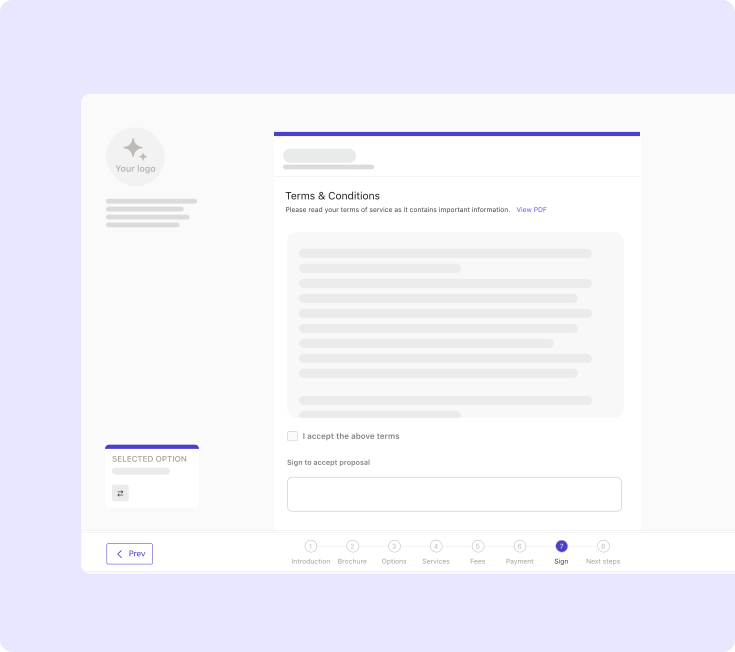
With Ignition's Contracts & Engagement Letters, a client's signature doesn't just document agreement. It automatically triggers the billing schedule you've already defined.
For a tax practice sending annual engagement renewals to 200+ clients, that connection matters. When a client signs, the agreed payment plan starts immediately, protecting your time and your monthly cash flow.
Why email agreements leave payment gaps
When a firm emails a PDF engagement letter and later sends a separate invoice, those two actions have no connection. The client signs, or doesn't, and the invoice still has to be created, sent, and tracked manually.
That gap is where overdue accounts receivable starts. Nothing triggers billing automatically when the client accepts terms, so payment depends entirely on your team remembering to follow up.
Stop chasing invoices, start getting paid
Better payment reminders won't fix a broken billing model. The lasting solution is preventing new receivables from forming while automating collection on what's already overdue.
Ignition handles both. Your firm can replace emailed invoices and manual follow-up with signed proposals, automated billing, and AutoCollect, which pulls outstanding QuickBooks Online balances automatically.
Reduce your AR in days, not months
Connect billing directly to signed agreements and clear your invoice backlog with automated collection.
FAQs
-
Collecting payment authorization upfront, at the moment a client signs a proposal, removes the payment ask from the client relationship entirely. Billing triggers automatically from the signed agreement, rather than from a separate invoice request. This model may significantly reduce late payments for accounting firms with recurring client bases.
-
Embedding payment terms inside a signed engagement letter, rather than sending a separate invoice later, keeps the process professional and friction-free for clients. Automated collection means clients are charged according to terms they already agreed to, so there is no awkward follow-up conversation. Platforms like Ignition handle this by connecting proposal acceptance directly to payment collection.
-
Days sales outstanding (DSO) tends to rise when billing happens after work is delivered and collection depends on client action. Shortening the gap between service delivery and payment authorization is the most direct lever available to accounting firms. Capturing payment details at proposal signing, rather than invoicing retroactively, may bring DSO down meaningfully.
-
For firms with existing invoice backlogs in Xero or QuickBooks Online, importing those outstanding balances into an automated collection workflow can reduce the manual follow-up burden significantly. Ignition's AutoCollect feature brings overdue invoices from connected accounting platforms directly into an automated collection process. This addresses the current backlog while the upfront authorization model prevents new AR from accumulating.
-
Purpose-built platforms that connect proposals, billing, and payment collection in one workflow tend to outperform standalone invoicing tools for AR reduction. Ignition automates the full cycle: proposal sent, client signs and authorizes payment, billing triggers, and payment collects without manual intervention. For firms still using Word docs, email invoices, or QuickBooks billing alone, this kind of integrated workflow represents a meaningful operational shift.