The case for accounting client onboarding software



 Copied to clipboard.
A new client is ready to get started with your accounting firm.
Their details arrive by email. You copy them into a Word doc, send an engagement letter via e-signature, and create a client record in your practice management system.
Then you set up billing somewhere else. A few days later, the paperwork’s signed, but the first payment is still outstanding, and the work hasn’t officially begun.
Many firms can work around that process for awhile. But once you’re managing 30+ recurring clients or sending 100+ engagement letters each year, those manual handoffs start creating delays, extra admin work, and unnecessary revenue leakage.
That’s often the point where client onboarding software for accountants moves onto the shortlist.
This guide is designed to help you evaluate that decision. You’ll learn how different platforms handle proposals, client engagement letters, billing, payments, and integrations. We’ll also look at how those pieces work together to create a smoother onboarding experience for your firm and your clients.
Key takeaways
- Accounting client onboarding software should connect proposals, engagement letters, billing, and payment collection rather than stopping at document intake.
- Firms often outgrow spreadsheets and email when recurring clients make onboarding, renewals, and billing too time-consuming to manage consistently.
- The strongest platforms tie billing terms to signed agreements, which can reduce setup delays, scope errors, and the gap before payment.
- Integrations with Xero, QuickBooks Online, and Gusto can reduce duplicate entry and support recurring, variable, or headcount-based billing.
- Collecting payment authorization during onboarding can reduce manual follow-up and help firms build more predictable cash flow from new engagements.
What accounting client onboarding software really means
Client onboarding for accounting firms is the process that happens between a client saying yes and your firm getting authorization to collect payment. That journey typically includes proposals, engagement letters, billing setup, payment authorization, and the systems that connect those steps.
Some onboarding tools mainly focus on intake. They collect client info, documents, and signatures, then hand the process off to other systems. While that can reduce paperwork, it doesn’t necessarily reduce the work required to activate a new client.
Looking at onboarding as a connected workflow gives firm owners a more useful way to evaluate software. Rather than comparing individual features, you can compare outcomes like faster client activation, more accurate billing, and less time spent following up on invoices and payments.
Those improvements often have a greater impact on efficiency, cash flow, and client experience than document collection alone.
More than document collection: why billing and payment belong in the definition
Client onboarding doesn’t end when a document gets signed. It follows a sequence of steps:
- Qualify the client
- Send the proposal
- Secure signatures
- Capture payment authorization
- Trigger billing
- Begin service
Intake-only tools often support the middle of that process but not the end. Once the engagement letter’s signed, someone still needs to set up billing, collect payment details, and make sure the first payment is on track.
Those manual handoffs can add days between a signed proposal and revenue collection.
Connecting onboarding, billing, and payments helps remove those gaps, so clients can get started sooner, and your team can spend less time on follow-up.
How onboarding software differs from general practice management tools
A new client signing your proposal is a milestone, but it doesn’t need to create a new round of admin work.
Many practice management tools are built to organize delivery once work is underway. They help teams assign tasks, manage deadlines, and keep client work moving.
But there are gaps between “yes” and “started.” If accepting a proposal still means creating invoices, entering payment details, or updating multiple systems manually, your onboarding process hasn’t really changed.
When evaluating software, look past the size of the feature list. The important question is whether client acceptance can move directly to the next actions your firm needs, including billing and payment setup.
Looking for ways to connect client onboarding with billing and payments?
Ignition helps accounting firms streamline the path from signed proposal to paid engagement.
The real cost of manual, fragmented onboarding
A client signs the proposal, but the work to get them fully onboarded is just beginning.
Your team may still need to transfer details between systems, confirm billing terms, calculate fees, and track down missing info before the first invoice goes out. Without clear ownership, those manual handoffs can slow down activation and delay revenue.
To understand the impact, look at the numbers behind your process:
- How long does it take to send a proposal?
- How quickly are agreements signed?
- How many days pass before the first invoice is sent?
- How often does your team follow up on unpaid invoices?
- What is your average days sales outstanding (DSO)?
- How many hours does onboarding take per client?
For firms with a mix of retainers and variable-fee work, spreadsheets often become the bridge between scope and billing. But that setup makes it too easy for missed updates or outdated fee calculations to result in work delivered but never billed. These metrics help reveal where those disconnects are costing time and money.
Late payments and cash flow drag from disconnected processes
It’s hard to predict cash flow when every new engagement follows a slightly different path to payment. In fact, small businesses continue to face payment challenges, with 4 out of 5 reporting issues related to receiving payments on time.
One client pays immediately. Another needs a reminder. A third is waiting for billing details to be set up.
Capturing payment authorization during onboarding helps create a more consistent process, especially when you’re managing dozens of recurring clients. Automated collection can help reduce follow-up work and make incoming revenue far more predictable.
The gap between a signed engagement and the first invoice
One of the biggest onboarding delays often happens after the engagement letter is signed.
A recurring bookkeeping client accepts an agreement on Friday afternoon. On Monday, someone creates the client record, re-enters the fees, sets up the billing schedule, and sends a separate request for payment details.
None of those tasks take long on their own. But they can add several hours or even days between acceptance and the first invoice, slowing down cash collection before the work even begins.
Signs your firm has outgrown spreadsheets and email
Missed follow-ups. Duplicate client data. Inconsistent engagement letters. Delayed invoices. Billing that depends on spreadsheets.
These are the issues that often appear when onboarding volume grows faster than the process supporting it.
If you manage 30+ recurring clients, check for:
- Monthly onboarding and renewals tracked through email threads
- No clear view of which clients have signed, paid, or started service
- Recurring billing updates handled manually each cycle
If you manage 50+ mix-fee accounts, check for:
- Fixed fees, hourly work, and add-ons tracked in separate places
- Scope changes requiring manual updates before invoicing
- Billing reviews that depend on spreadsheet accuracy
If you send 100+ annual engagement letters, check for:
- Engagement letters prepared individually instead of from a repeatable process
- Different clients receiving inconsistent terms or versions
- Signature tracking becoming a major admin task
If tax season creates renewal pressure, check for:
- Renewal outreach competing with deadline-driven client work
- Large batches of engagement updates requiring manual coordination
- Limited visibility into which clients have completed required steps
When onboarding relies on someone’s memory, clients have to repeat info, or signed scopes don’t flow into billing accurately, it’s a sign that your firm has outgrown the manual approach.
Core capabilities to evaluate in onboarding software
The goal of onboarding software is simple: move qualified prospects into active, paying engagement without re-entering the same info across multiple systems. The shift reflects a broader push toward automation and connected accounting workflows.
That said, a platform might check every box on paper, but can those capabilities work together in your actual client onboarding workflow?
During a live demo, test the process with a realistic client scenario:
- Add a recurring service fee and any variable charges.
- Send the engagement letter and collect a signature.
- Capture payment authorization.
- Trigger billing and sync details with your accounting system.
Then use this scorecard to compare platforms based on how well they support your workflow:
| Capability | What to evaluate | Score |
| Setup time | How quickly can your team configure the workflow? | /5 |
| Template control | Can you standardize proposals and engagement letters? | /5 |
| Audit trail | Can you see client actions, approvals, and changes? | /5 |
| Payment methods | Does it support flexible payment options? | /5 |
| Billing automation | Does acceptance trigger billing steps automatically? | /5 |
| Integrations | Does it connect with your accounting and practice tools? | /5 |
| Permissions | Can you control access across your team? | /5 |
| Client experience | Is the process simple for clients to complete? | /5 |
| Support | Is help available when your team needs it? | /5 |
Proposals and e-signature
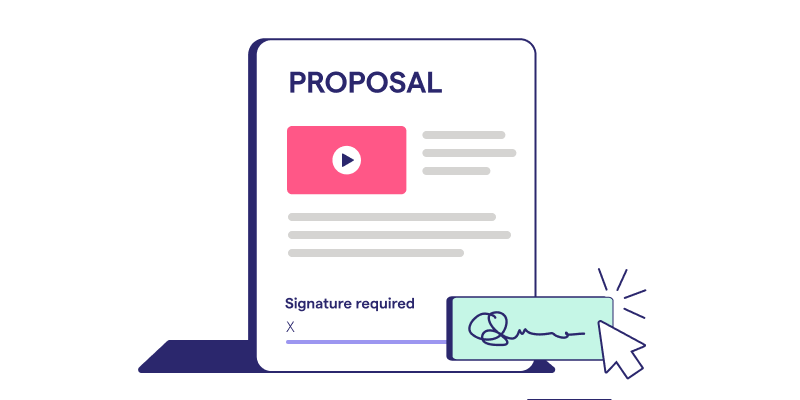
Proposals are usually the first place onboarding starts to break down. When evaluating platforms, look for:
- Branded templates to maintain consistency across engagements
- Service packages to standardize how services are presented
- Optional add-ons to make it easier to expand scope
- Automated reminders to reduce manual follow-up
- Version control to track changes with confidence
- E-signature in the same client-facing experience to complete acceptance in one workflow
The next question is whether scope, pricing, and billing terms move forward automatically or get trapped in a signed PDF. The stronger platforms preserve that info as structured data.
Engagement letters and compliance documentation

Engagement letters are a routine part of onboarding, but managing them at scale can quickly become an admin burden.
Check for the following when comparing platform options:
- Reusable templates to reduce repetitive document preparation
- Legally reviewed language to support consistency across engagements
- Bulk sending to handle high volumes more efficiently
- Additional signatures to accommodate multiple decision-makers
- Renewal tracking to keep recurring engagements on schedule
- Amendments to document scope or service changes
- Audit trails to maintain visibility into client actions and approvals
Requirements vary by jurisdiction, service type, and professional standards. So before standardizing your process, confirm engagement letter and client acceptance requirements with the relevant professional bodies and legal counsel.
Billing and payment collection tied to signed agreements
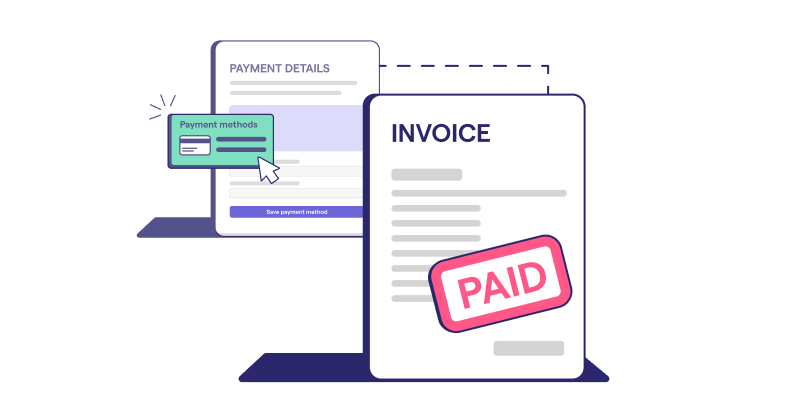
When evaluating onboarding software, test whether accepted agreements can automatically move into:
- Recurring billing for ongoing client services
- Project billing for fixed-fee engagements
- Variable billing for changing scope or additional services
- Payment authorization collected during client acceptance
Ignition connects these steps through capabilities like:
- Ignition Billing for recurring billing schedules
- Smart Billing to update billing as Gusto headcount changes
- Instant Bill for one-time invoices
- Automated payment collection to reduce follow-up and manual collection work
Compare these features against platforms that require fee re-entry, separate invoice creation, or payment details collected after the agreement is signed. The right platform reduces those handoffs, streamlining the path from accepted agreement to active, paying engagement.
Why integration with Xero, QuickBooks, and Gusto matters
Each new client brings info your team needs to carry forward: who they are, what they agreed to, and how they’ll be billed. When those details stay connected, your team spends less time updating systems and more time moving work forward.
A few examples:
- Xero: A client accepts a recurring bookkeeping engagement, and invoice details sync into Xero instead of making your team recreate the billing setup.
- QuickBooks Online: A signed agreement flows into invoicing workflows, while Ignition’s AutoCollect helps collect payment without a separate follow-up process.
- Gusto: Smart Billing uses Gusto headcount data to update fees without manual adjustments when a client’s employee count changes.
Before choosing a platform, look at how it handles:
- Field mapping so data lands in the right place
- Duplicate prevention to avoid repeated client records
- Sync timing to know when updates appear
- Error handling to resolve failed syncs quickly
- Permissions to control access to connected data
- Source of truth to define where records are managed
Why a connected proposal-to-payment workflow beats point solutions
The moment a client accepts an engagement, the process either keeps moving or slows down. Separate proposal, signature, billing, and payment tools can create extra steps.
A connected proposal-to-payment workflow helps your team move from signed agreement to service without the added back-and-forth.
| Evaluation area | Separate tools | Connected workflow |
| Client experience | Multiple steps and logins | One connected process |
| Duplicate entry | Details re-entered | Info carries forward |
| BIlling trigger | Manual setup | Billing starts from accepted terms |
| Payment authorization | Collected separately | Captured during acceptance |
| Scope fidelity | Details can get lost | Terms stay connected |
| Renewal management | Tracked separately | Linked to agreements |
| Implementation effort | More tools to manage | Fewer handoffs |
| Total cost | Tool costs plus manual upkeep | Cost tied to one connected onboarding workflow |
Practice management tools are still valuable for delivery. But a connected onboarding workflow helps firms start each engagement with less admin work.
Onboarding software should end at payment, not paperwork
A signed engagement letter moves the client relationship forward, but for most accounting firms, it creates a web of manual admin tasks that slow down work and let profits slip through the cracks.
Ignition brings proposals, agreements, billing, and payments together in a connected onboarding experience, helping accounting firms speed up onboarding and reduce the amount of admin work between winning new business and getting paid.
Want a faster way to get new engagements up and running?
Ignition helps accounting practices standardize onboarding.
Frequently asked questions
-
The best accounting client onboarding software connects proposals, engagement letters, e-signatures, billing, and payment collection in one workflow. For firms with recurring revenue, prioritize automated billing, upfront payment authorization, and integrations that fit existing accounting and practice management platforms. Ignition is built around this proposal-to-payment flow, reducing handoffs between signing, invoicing, and collection.
-
Core features include reusable proposal templates, e-signatures, engagement letters, client forms, automated reminders, recurring billing, and payment collection. Regulated firms may also need anti-money-laundering and know-your-customer checks, plus clear support for client acceptance and continuance procedures. Evaluate whether accepted terms automatically drive billing, rather than creating another manual handoff.
-
Onboarding platforms manage client acceptance, agreements, billing setup, and payment authorization before service delivery begins. Practice management platforms usually coordinate jobs, deadlines, capacity, and team workflows after the engagement is active. Connecting both can reduce duplicate data entry and keep signed scope aligned with delivery.
-
Integrations with Xero and QuickBooks Online can sync client, invoice, and payment data, reducing duplicate entry and reconciliation work. With Ignition Smart Billing and Gusto, firms can automate payroll-linked fees as client headcount changes. This connection may help variable billing run accurately without monthly spreadsheet calculations.
-
Collecting payment details during proposal acceptance removes a separate payment request after work starts. Automated invoices, recurring charges, and payment reminders may reduce delays while giving clients a clearer, more consistent experience. Ignition also brings eligible outstanding accounting invoices into automated collection workflows through AutoCollect.