Invoice template for consultants tired of chasing pay



 Copied to clipboard.
A client emails asking why last month's invoice doesn't match the proposal. Now payment is on hold while you dig through email threads to prove the charge was agreed upon. That delay hits cash flow hard, especially when payroll or vendor bills are due the same week.
A consulting invoice template is a reusable billing document that records consultant and client details, agreed services, charges, taxes, payment terms, due date, and total amount owed. Its structure should match how the engagement is billed, whether by time, flat fee, retainer, milestone, or deposit.
Clear, consistent fields can help prevent billing disputes before they start. The right fields, matched to the correct billing structure, work well until billing turns recurring or milestone-based.
Key takeaways
- A consulting invoice template works best when it includes clear client details, invoice dates, payment terms, and line items that define scope.
- Consultants may need different invoice structures for hourly work, flat fee projects, retainers, and milestone billing to match how services are sold.
- For larger projects, a separate deposit invoice can create clarity upfront, then the final invoice can show that payment as a credit.
- A strong consulting invoice template can support faster payment by making due dates, totals, and scope clear and consistent with the underlying agreement.
- Once consulting invoices become recurring or milestone-based, automation through a platform like Ignition may reduce manual billing and help protect cash flow.
What a consulting invoice needs to do
A consulting invoice should let the client confirm the agreed scope, billing period, charges, and payment deadline at a glance. They shouldn’t need to email you to ask what something means.
A line item that says "consulting services" forces the client to dig up the proposal to check what's being billed. A line that reads "Q3 marketing strategy review, August 1–31, per Section 2 of proposal" lets them approve it quickly.
Pull one recent invoice and set it next to the proposal or engagement letter it came from. Check that every description, date, and dollar amount lines up exactly.
That kind of manual review works fine for a one-off project. Once billing becomes monthly or milestone-based, rebuilding that alignment by hand creates recurring admin work.
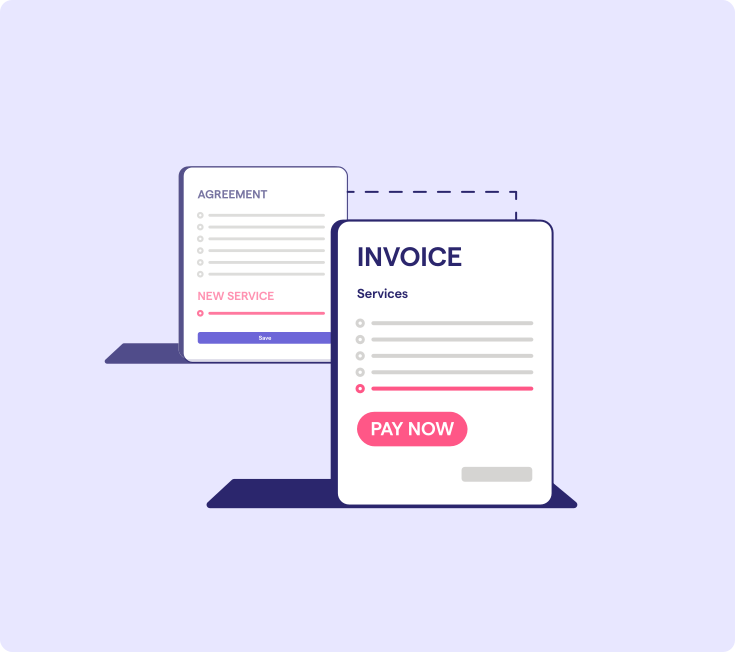
Core fields every consulting invoice must include
Consistent identity, date, scope, payment, tax, and total fields help clients approve and pay an invoice without circling back for missing information.
The template below breaks down the core information you can adapt in Word, Excel, PDF, or Google Docs. Ignition templates can carry client and service details forward automatically, reducing repeat data entry.
Provider and client details
A consulting invoice should identify both legal parties and name the correct client billing contact. This helps it reach the person authorized to approve payment.
Include the consultant's legal business name, business email, address, and any required tax or business identifier. Add the client's legal name, billing address, and billing contact.
The person who received the work often isn't the person who approves payment. A project lead can sign off on deliverables while a separate accounts-payable contact controls the check.
Confirm the accounts-payable contact and billing address before sending the invoice to prevent it from stalling in someone's inbox.
Invoice number, date, and due date
Every consulting invoice should show a unique invoice number, an issue date, and an exact due date. Don’t leave the client to calculate a deadline.
Assign the next sequential number, enter the issue date, apply the agreed payment term, and show the resulting calendar date directly on the invoice.
A date like "June 14" leaves less room for confusion than "net 15" alone, especially when a client is reviewing invoices at month-end.
Pick one numbering convention and apply it across every deposit, milestone, and final invoice for the engagement. Consistency also makes reconciliation in Xero or QuickBooks simpler later.
Line items that define scope
Consulting invoice line items should mirror the signed scope and identify the deliverable, period, quantity, or rate behind each charge.
Include whatever detail supports the charge: hours or days worked, the agreed rate, the deliverable name, the project phase, or the service period.
Pull up the signed proposal or engagement letter referenced in the consulting contract template and place it beside the draft invoice.
Check that every billed item traces back to a specific agreed service. Anything that doesn't match can be flagged before it reaches the client.
Payment terms, taxes, and total
Payment terms, applicable taxes, credits, late-fee conditions, and the final total should appear together in one clear block. Use language that matches the client agreement.
Group the subtotal, tax line, any credits, total amount due, and payment deadline so the client can see the information needed to approve payment.
Match the term to how the agreement was structured. Due on receipt may suit short, single-session work, while net 15 or net 30 may suit longer engagements.
Whatever term applies, show the exact calendar due date rather than leaving the client to calculate it.
If a late fee applies, state the exact amount or percentage and when it takes effect. Tax rules and late-fee limits vary by jurisdiction, so confirm current requirements before adding either.
How to structure invoices for different billing models
A consulting invoice should mirror the billing model in the signed agreement, so the client sees charges the same way the service was sold. An hourly arrangement bills differently than a retainer, while a milestone project needs different detail than a flat fee.
Four structures cover most consulting engagements: hourly and daily rate, flat fee, retainer, and milestone. Match the appropriate structure to the signed agreement before building the invoice.
Hourly and daily rate invoices
An hourly or daily consulting invoice should show the units worked, agreed rate, exact date range, and a concise task description for each entry.
A time-based invoice structure works well with columns for service date, task, hours or days, rate, and line amount. This lets the client trace each charge back to a specific activity.
Clients may scrutinize time-based charges more closely because the total depends on reported hours. Task descriptions need enough detail to verify the work without including unrelated project notes.
Before sending, reconcile the total units on the invoice against the underlying time record. A mismatch can quickly trigger a payment delay.
Flat fee project invoices
A flat fee consulting invoice should bill the agreed deliverable or project phase at its fixed price rather than reconstructing an hourly total.
Use clear fields for the named deliverable or phase, the date it was completed or became billable, and the flat fee agreed in the proposal.
The line item wording should mirror the scope language from the engagement letter so the client can confirm what the fee covers.
Leave internal time details off the invoice unless the signed agreement specifically calls for a breakdown. Hours worked aren't typically relevant to a fixed-price deliverable.
Retainer invoices
A retainer invoice should state the billing period, included services, fixed fee, and payment timing on the same recurring schedule each period.
Label it clearly, such as "Retainer, March 2026," and list what that fee covers so the client can see what they’ve paid for.
Predictable billing depends on consistency. If the wording shifts month to month or a period gets skipped, clients may start questioning charges they previously approved.
Once you're rebuilding the same invoice by hand every period, that repetition may signal it's time to move toward recurring invoices for consulting services.
Milestone billing invoices
A milestone consulting invoice should tie the amount due to a named phase or approved deliverable the client can recognize as complete.
Use a specific label such as "Phase 2: Wireframes approved" rather than a generic progress note. Naming the milestone gives the client something concrete to check against the project plan.
Next to the milestone name, show the agreed percentage or fixed amount tied to that phase and the exact payment deadline.
Use identical milestone names across the proposal, project plan, and invoice. If the proposal calls it "Phase 2," the invoice shouldn’t shorten it to "design work."
How to handle deposits on the final invoice
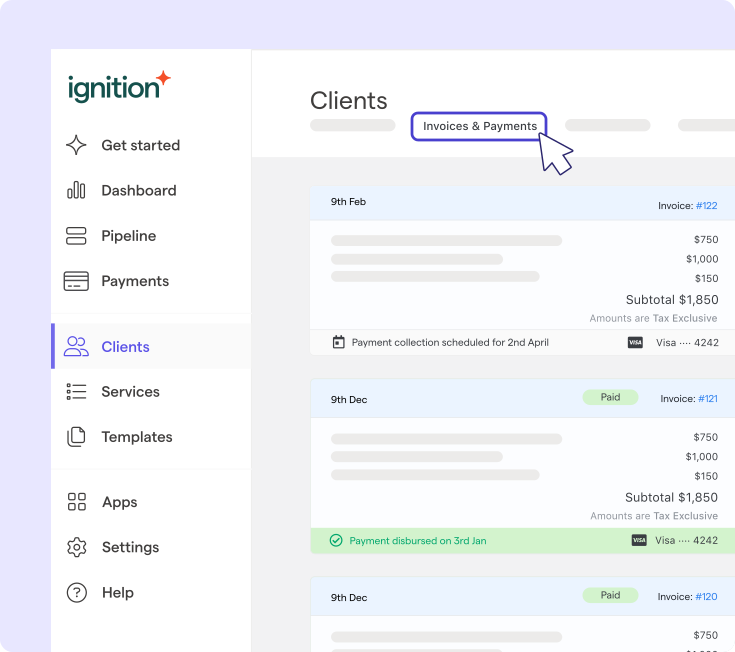
A consultant should invoice the deposit separately from the project fee, then show the paid amount as a clearly labeled credit on the final invoice. This makes the remaining balance clear.
For example, a client who paid a 50% deposit before work began shouldn't see that amount buried or recalculated later.
The workflow runs in five steps:
- Issue a separate deposit invoice for the agreed percentage before work starts.
- Record that payment against its own invoice number once it clears.
- Issue the final invoice for the full agreed project value rather than only the remaining portion.
- Add a deposit credit showing the amount already paid as a deduction.
- Display the resulting balance as the amount due.
Consistent invoice numbering and clearly labeled credits make the sequence easier to reconcile because each invoice ties back to a payment record.
Gathering payment details at contract signing through Ignition also makes it easier to collect the remaining balance when the final invoice becomes due.
Why your invoice format matters more than you think
The best invoice format keeps totals accurate, controls versions, presents charges clearly, and lets the client pay in as few steps as possible.
Format isn't just cosmetic. A miscalculated formula, outdated version, or missing payment instructions can delay revenue just as a vague line item can.
Format | Calculation risk | Version control | Payment collection |
| Word | Manually typed totals can be mistyped | Edited copies may circulate | Requires separate payment instructions |
| Google Docs | Totals are typically entered manually | A shared link can reduce version confusion | Requires separate payment instructions |
| Excel | Formula errors can affect totals | Multiple saved copies can circulate | Requires separate payment instructions |
| Fixed once generated, with no live edits | Provides a fixed version | Still requires a separate payment step |
None of these consulting invoice formats connects the invoice directly to a payment workflow. The client still needs to follow separate payment instructions.
Consultants billing clients in the European Union (EU) should also monitor evolving e-invoicing requirements as structured invoice data becomes more common across jurisdictions.
When the template stops working and automation takes over
A consulting invoice template becomes less effective once recurring billing, reminders, payment collection, and scope updates depend on repeating the same manual steps every cycle.
That dependency signals it may be time to change the process rather than redesign the invoice.
Track one billing cycle against this checklist:
- Re-entering client and project details already saved elsewhere
- A recurring invoice that goes out late or gets skipped
- Payment reminders sent manually, if they get sent at all
- Time spent chasing overdue payments by email or phone
- Invoice terms that no longer match the signed proposal
Any single item costs a few minutes. Together, repeated every month, they add unnecessary billing admin.
Drafting an invoice description with ChatGPT can tidy up wording, but it won't connect that text to a signed agreement, trigger the next invoice, or follow up on payment. That requires a connected workflow rather than a prompt.
Ignition's proposal-to-payment workflow closes that gap. A signed proposal can trigger scheduled invoices and payment collection using details gathered at signing, as outlined in the ultimate guide to automated invoicing.
Stop filling in invoices and start getting paid automatically
A clean template solves the invoice sitting in front of you today. But it won't handle next month’s retainer or trigger a milestone invoice when a project phase wraps. That's the gap between a document and a process. Consultants billing clients monthly for ongoing work need more than consistent line items. The billing cycle also needs to run reliably.
Start with the recurring or milestone-based client relationship causing the most manual back-and-forth. If you’re recreating the invoice every month or remembering to bill after each deliverable, that's the workflow worth automating first.
Ignition connects signed proposals with billing and payment collection, so invoices can be scheduled and overdue payment reminders can be automated.
Done rebuilding the same invoice every month?
Let signed proposals trigger billing and payment collection automatically.
Frequently asked questions
-
List each consulting service as a clear line item with the relevant date or service period, quantity, rate, and amount based on the agreed scope. Make the descriptions match the proposal or engagement letter. Include client details, invoice number, issue date, exact due date, payment terms, applicable taxes, and total amount due. This consistency may reduce scope disputes and make the invoice easier for the client to approve.
-
Include the consultant's legal business name and contact details, the client's legal and billing details, a unique invoice number, the invoice date, and an exact due date. The invoice should also show itemized services, quantities or billing periods where relevant, rates, subtotal, applicable taxes, credits, payment terms, accepted payment method, and the total amount due.
-
Payment terms should match the project length, billing model, and signed agreement. Net 30 is common, while net 15 may suit shorter projects and due on receipt may fit one-off charges. Whatever term applies, show the exact calendar due date. State any late fee with precise timing and language that complies with applicable requirements.
-
Invoice a retainer as a fixed fee on the recurring schedule established in the client agreement. Identify the service period, included services, fixed amount, invoice date, and payment deadline. When the same invoice recurs monthly or quarterly, scheduled invoice generation and payment collection can reduce missed billing steps.
-
A consultant may outgrow a manual template when recurring retainers, milestone invoices, reminders, scope updates, or payment collection require repeated work every billing cycle. Duplicate data entry, missed invoices, late reminders, manual payment chasing, and invoice terms that no longer match signed proposals are practical warning signs. A connected billing workflow can generate scheduled invoices from accepted agreements and reduce the number of manual steps.