What's eating your accounting firm's monthly margin?



 Copied to clipboard.
A firm billing 80 clients a month still spends the first week of every month on billing admin. The workflow demands manual handoffs at every stage: a letter drafted here, a fee calculated there, an invoice sent from somewhere else, a payment chased from yet another tool. The team isn't the problem.
Admin costs at an accounting firm are the staff hours and operational overhead consumed by non-billable tasks across the client billing cycle: engagement letter prep, variable fee calculations, invoice generation, and payment follow-up. When those tasks run on disconnected tools, the burden compounds across every client, every month.
This breakdown maps where those hours actually go in a monthly billing cycle, stage by stage, so firm owners, partners, and operations leads can see exactly where the drag is coming from and what it costs to leave it in place.
Key takeaways
- Admin costs at accounting firms cluster at handoff points between disconnected tools, not evenly across operations, making workflow connection the highest-leverage fix.
- Chasing signatures across a large client base during tax season is a quantifiable time drain that peaks precisely when staff capacity is lowest.
- Scope creep is an admin cost problem as much as a revenue one: Every unbilled out-of-scope task creates a separate invoicing event that disrupts the billing cycle.
- Collecting payment details at engagement signing can cut most of the accounts receivable follow-up loop, replacing reactive chasing with automatic collection.
- Firms that defer fee increases often do so because updating prices client by client is operationally painful, creating a direct link between billing friction and lost revenue.
Where admin costs actually accumulate
Billing admin costs in accounting firms cluster at five specific handoff points: engagement letter preparation, variable fee calculation, price updates, scope creep invoicing, and payment follow-up.
Some of those costs are visible. Staff hours spent drafting letters, chasing signatures, and reconciling payroll data show up on timesheets. Others are invisible: out-of-scope work that never gets billed because no one catches it before the invoice goes out.
The gaps between tools are what compound the cost. Each system in a disconnected stack may work fine on its own, but the manual handoffs between them pile up across every client engagement. That's where margin quietly disappears.
The sections below map each bottleneck in order, drawing on revenue operations principles to show exactly where firms can recover the most ground.
1. Engagement letter prep at scale
At 20 clients, engagement letter prep is manageable. At 100-plus, every repeated step compounds into a real staff cost. The admin burden concentrates in three places: chasing signatures during tax season, sending letters one client at a time, and manually triggering billing after a letter is signed.

The tax season signature chase
Signature chasing consumes the most staff time precisely when tax season leaves the least room for it. Volume peaks and capacity bottoms out at the same moment.
The manual sequence compounds fast across a growing client base. Each engagement letter requires individual drafting, a separate email, and a status check to confirm whether the client signed. Anyone who hasn't signed gets a follow-up, logged manually, then checked again.
At 100-plus clients, that sequence runs for every unsigned letter, across every follow-up cycle, while the same staff is managing returns, deadlines, and client queries. The repetition of the same low-value steps, hitting at the worst possible time, is the real bottleneck.
What bulk sending eliminates
Bulk sending removes the per-client manual steps from engagement letter delivery, collapsing what is otherwise a multi-day task into a single workflow action.
Without it, staff prepare each document individually, send separate emails, and track signature status client by client across the full list. At 100-plus clients, that sequence repeats hundreds of times.
Ignition's Contracts and Engagement Letters replaces that cycle with segmented or full-list sending. One action covers document preparation, delivery, and signature tracking for every client in the batch. Staff track who has signed from one place instead of checking each client, and one batch replaces hundreds of individual emails.
When a signed letter triggers billing automatically
The handoff between a signed engagement letter and a triggered invoice is where admin cost accumulates silently: someone has to notice the signature, then manually initiate billing.
In a disconnected workflow, a signed letter in one tool does nothing in another. A staff member checks for completed signatures, then opens a separate system to create and send the invoice. That handoff repeats for every client, every engagement.
Ignition is the only engagement letter platform where a signed agreement can automatically trigger billing. The proposal becomes the contract, and billing starts automatically once a client signs, with no manual step in between.
See how leading firms are building connected billing workflows
Learn what a modern accounting practice looks like from the inside
2. Manual variable fee calculations
Variable-fee billing creates a recurring monthly admin cost because staff must retrieve current client data before a single invoice can be calculated. For firms billing headcount-based or payroll-linked fees, that means pulling live figures from Gusto, Xero, or QuickBooks Online every cycle for every affected client. The sections below cover the manual calculation burden, the reconciliation step that follows, and how invoice automation removes both.
Headcount-based billing without automation
Headcount-based billing requires staff to repeat the same lookup, calculation, and invoice-entry sequence for every client each month. For each affected client, staff must check the current employee count in Gusto, Xero, or QuickBooks Online, apply the per-head rate, calculate the total, and enter it into the invoice.
That sequence repeats from the beginning for the next client and the one after that.
A firm billing 30 clients on a headcount-based fee structure runs that full sequence 30 times every billing cycle. The individual calculation is simple. The volume is where the admin cost accumulates, consuming hours that could go toward billable work instead of data retrieval and manual entry.
Reconciling payroll data before every invoice
Reconciling payroll data before invoicing is a pre-billing step that consumes staff time before a single invoice is generated, and it recurs every month without exception.
Skipping that check creates a direct billing risk. If headcount has changed since last month and nobody verified it, the invoice goes out with the wrong figure. The firm either overbills a client or absorbs the shortfall.
The reconciliation step exists entirely because the payroll system and the billing tool don't share data. Those two disconnected systems create the admin cost. Staff manually bridge them every billing cycle, and that manual bridge is what creates invoicing delays and error risk month after month.
How Smart Billing removes the manual step
Smart Billing eliminates manual reconciliation by pulling variable-fee data directly from connected payroll and accounting systems, so invoices reflect current headcount without a manual lookup.
The supported integrations are Gusto, Xero, and QuickBooks Online. These are the systems most accounting firms already run, and Smart Billing connects to them directly, retrieving the latest figures before invoices are generated.
3. One-at-a-time price updates
Client-by-client price updates create two margin problems: the staff hours spent opening and editing every individual record, and the revenue lost when firms delay increases because the process feels too painful to repeat.
When a firm-wide fee change means touching hundreds of records manually, deferral becomes the default. The sections below cover both the real cost of that approach and how AutoPricing removes it, including how to communicate a price increase to clients once you're ready to act.
The cost of updating fees client by client
Updating fees one client at a time creates a window during which some clients are billed at old rates while others are billed at new ones, generating reconciliation work and billing inconsistencies mid-cycle.
The sequence repeats for every affected client: open the engagement record, locate the fee field, update the figure, save, and confirm. Across 50 or 100 clients, that sequence consumes hours of staff time with no billable return.
The real revenue consequence is deferral. When the update process feels this painful, firms push annual fee increases back, sometimes by months. That delay compounds: every billing cycle at an outdated rate is revenue that cannot be recovered.
Making fee increases systematic, not stressful
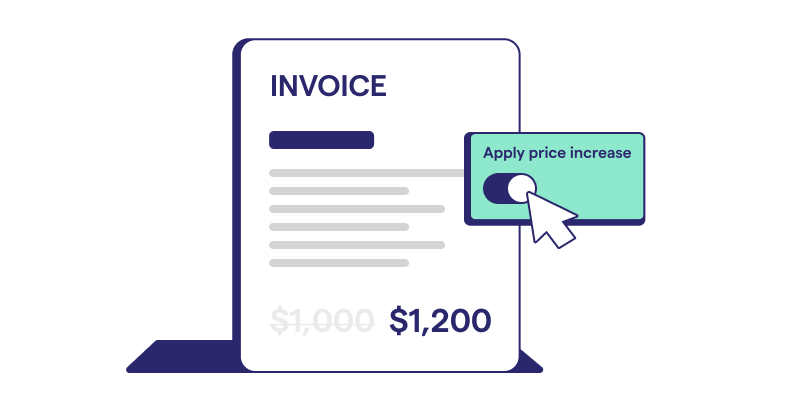
AutoPricing turns a firm-wide fee increase into a single workflow action rather than a client-by-client task, removing the friction that causes firms to defer price updates.
Instead of opening individual engagement records, AutoPricing applies bulk increases across multiple clients at once. Select the relevant service, set the new rate as a dollar amount or percentage, and the update applies to every client billed for that service without manual editing.
That lower operational cost can change the behavior around pricing. When increasing fees takes one bulk action instead of hundreds of edits, it's easier to implement increases on schedule rather than pushing them to the next quarter.
4. Scope creep as an admin cost driver
Scope creep generates admin cost in two ways: the out-of-scope work goes unbilled, and recovering it creates a separate invoicing task outside the regular billing cycle.
The manual sequence runs long. Someone has to identify the out-of-scope work, calculate the charge, create a standalone invoice, send it, and follow up if payment stalls. Every step is a manual touchpoint that disrupts the month's billing rhythm.
When that process feels too cumbersome, the work simply goes unbilled. The admin cost includes the time spent trying to recover it and the revenue that disappears when capturing it is too painful to bother.
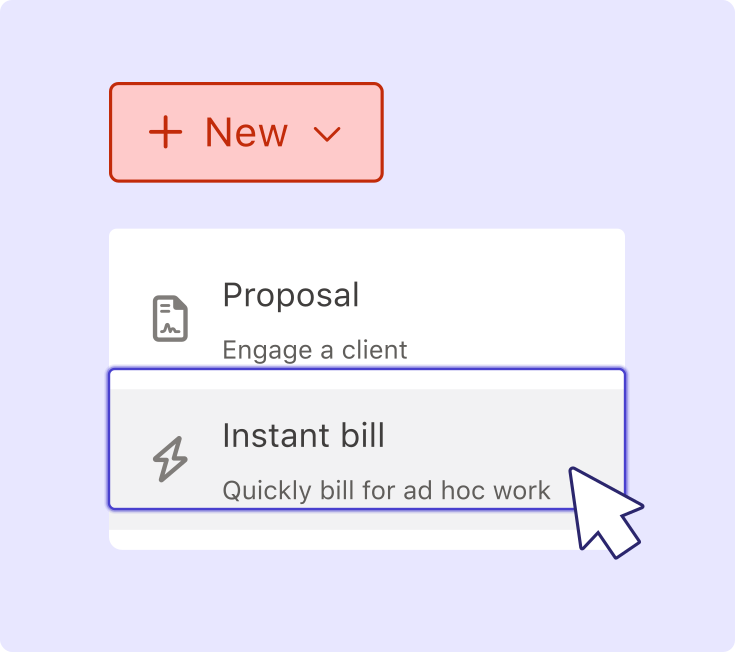
Ignition's Instant Bill feature removes that backlog. Out-of-scope work gets captured and charged on the spot, before it ever enters a queue of unbilled tasks.
5. Chasing payment after invoice delivery
Every overdue invoice pulls a staff member into a non-billable loop: check the status, draft a reminder, send it, log the response, and repeat. That cycle costs staff time as well as cash flow.
The root cause is structural. When payment details aren't collected at engagement signing, every invoice depends on the client taking action. The sections below cover the staff cost of payment follow-up, the fix, and the measurable impact on collection time.

What accounts receivable follow-up actually costs
Accounts receivable follow-up is a recurring staff cost that grows with every invoice you send.
That cycle repeats across every outstanding invoice, every week. A solo CPA spending six hours per week on manual billing during tax season loses that time across 12 to 14 weeks, totaling 72 to 84 hours of overhead in a single season.
That's two full work weeks of billing admin in one season.
Collecting payment details at engagement signing
Collecting payment details at the point of engagement acceptance cuts most of the follow-up loop, because the firm can collect payment automatically when an invoice falls due.
Ignition Payments connects payment details you capture at signing directly to automated billing. Once a client accepts a proposal, Ignition stores their payment method and charges it automatically on the billing schedule, which reduces the need for follow-ups.
From 58-day collection lag to 9 days
Billing the retainer at engagement signing rather than after work is delivered reduces average collection time from 58 days post-filing to nine days post-signing, a reduction of more than 80%.
That 49-day compression affects more than your cash flow. Fewer days outstanding means fewer reminder cycles per client, fewer manual status checks, and fewer follow-up messages your team has to write, track, and log each billing period.
Across a client base of 100 or more, those saved cycles add up to a measurable reduction in non-billable overhead each month.
6. Disconnected tools and handoff costs
Disconnected tools create admin costs because the breaks between them require manual work to bridge across every client and every billing cycle.
In a typical fragmented stack, an engagement letter is signed in one tool, billing is initiated manually in another, invoices go out from a third, and payments are tracked somewhere else entirely. Each transition is a manual step that consumes staff time.
The scale of what connecting those steps can eliminate is significant. One firm with more than 380 clients reported reducing its monthly invoicing process from five full working days to 30 minutes after automating its billing workflow.
Ignition connects proposals, engagement letters, billing, and payment collection in one platform, removing those handoffs. The full picture of how that client lifecycle management process works makes the case for consolidation over addition.
7. Measuring the real cost of billing admin
[EMBED: https://ignitionapp.storylane.io/share/vjfupq63kvlg]
Measuring billing admin cost requires converting non-billable hours into a dollar figure. List every recurring manual task across the billing cycle (engagement letter prep, variable fee calculations, price updates, scope creep invoicing, and payment follow-up), estimate the monthly hours each consumes, and multiply by the fully loaded hourly cost of the staff member doing the work.
Three metrics signal whether billing admin is under control: average time spent on monthly invoicing, average days to collect payment, and the percentage of out-of-scope work that actually gets billed.
Each bottleneck covered in this article maps directly to one of those measures. That connection lets you prioritize the fix with the largest margin impact first. For a deeper look at where client revenue is being lost, this guide to client profitability analysis provides a practical starting point.
Stop patching the workflow, fix the handoffs
Admin costs at accounting firms don't trace back to one broken tool. They accumulate between disconnected stages: the engagement letter that lives in a Word doc while billing runs in a separate system; the variable fee that still requires manual calculation before an invoice goes out; the out-of-scope request that gets handled but never billed. Each handoff is a small leak. Together, they drain margin every month.
The practical move is to identify which handoff is costing the most before changing anything else. Start with a manual handoff audit to find where time and revenue are actually disappearing, then prioritize that bottleneck first rather than optimizing every stage at once.
Contracts and Engagement Letters, Smart Billing, AutoPricing, Instant Bill, and Ignition Payments each close one of those handoffs. Connecting the workflow itself is the fix.
Stop the billing leaks in your accounting firm
Ignition connects proposals, contracts, billing, and payments in one platform.
Frequently asked questions
-
A solo CPA spending six hours per week on manual billing during tax season loses 72 to 84 hours of admin overhead across a single tax season. At scale, one firm with more than 380 clients reduced its monthly invoicing process from five full working days to just 30 minutes after automating its billing system.
Those figures suggest the true cost of billing admin is rarely visible until it gets measured against what the hours could otherwise produce.
-
Billing automation has the potential to benefit firms of any size, but the efficiency gains tend to be most acute when a firm bills clients on a mix of recurring retainers and variable fees. Even a solo practitioner managing 30 to 40 clients on headcount-based billing runs the same manual reconciliation sequence every month, and those hours compound quickly across a tax season.
Platforms like Ignition are purpose-built for accounting firms at varying scales, not just high-volume practices.
-
Standard recurring invoices in QuickBooks Online or Xero generate fixed amounts on a schedule, but they cannot automatically adjust for variable charges like headcount-based fees without a manual update first.
Ignition's Smart Billing syncs directly with Gusto, Xero, and QuickBooks Online to pull current variable data and apply it to the invoice automatically, removing the reconciliation step that otherwise precedes every billing cycle. That connection means the invoice reflects what the client actually owes, without anyone manually checking payroll data first.
-
The highest-impact changes target the handoff points in the billing cycle, specifically the gaps between engagement letter signing, invoice generation, and payment collection, because those gaps require manual bridging for every client, every month.
Connecting payment collection to proposal acceptance, so you capture a client's payment method at signing, may cut most of the accounts receivable follow-up loop. Automating variable fee calculations and bulk price updates addresses the two other recurring bottlenecks that consume the most staff time outside of payment chasing.
-
Automating billing and payment collection through a platform like Ignition doesn't require replacing Xero or QuickBooks Online, because Ignition integrates directly with both platforms for reconciliation and data sync.
The more useful frame is that automation removes the manual steps between those tools, so a signed engagement letter triggers billing and payment collection without anyone manually connecting the two steps. Firms keep their existing accounting stack and gain the connected workflow layer that eliminates the handoff cost between each stage.