Real out of scope examples (and how to turn them into revenue)


 Copied to clipboard.
Here's a scenario that plays out more often than it should: a client emails mid-project asking for something extra and your team delivers it. . . but the request never makes it to an invoice, so your team never gets paid. Out-of-scope work means any client request, deliverable, or change that falls outside the tasks, responsibilities, limits, or fees in a signed engagement letter, proposal, or statement of work. It happens across every service line, and without a clear process for catching and billing it, that work quietly disappears.
A consistent billability check helps you identify added work, document the change, and choose the right charge before delivery. Connecting that decision to billing in Ignition turns legitimate client needs into transparent revenue, without adding awkward conversations or letting more work slip through unpaid.
Key takeaways
- Certain client phrases, like "just a quick question" or "while you're at it," often signal work has moved out of scope.
- Out-of-scope work becomes billable once it's clearly documented and communicated to the client.
- Documenting out-of-scope work through agreement amendments rather than email threads can turn scope drift into billable revenue.
- Businesses tracking out-of-scope work manually through spreadsheets or disconnected e-signature tools risk losing that work to unbilled hours.
Common examples of out-of-scope work by project
Out-of-scope work looks different depending on whether you're in accounting and tax, bookkeeping and advisory, or agency and marketing. The examples below give you a practical benchmark. Compare them with each signed client agreement to spot where your service boundaries may already be blurring.
Clean client documentation can help reduce disputes over scope by making those boundaries clear before a disagreement surfaces.
Accounting and tax engagements
- Reconciling prior-period books outside the engagement window is out of scope when the signed agreement covers only the current period. Before assigning the work, check the covered dates.
The same applies when incomplete records create an unexpected cleanup. Correcting opening balances, rebuilding reconciliations, or tracking down missing transactions can push the engagement well beyond routine preparation. Compare the condition of the records with the client responsibilities documented in the agreement: If the client was responsible for providing complete information, record the cleanup as an added deliverable.
- IRS notice response is an added deliverable when the engagement covers tax return preparation but not correspondence with tax authorities. Multi-entity consolidation falls outside scope when your agreement names only one entity. Both requests add work, complexity, or risk beyond the signed terms.
- Amended returns, extra tax scenarios, or meetings with another adviser after work begins. Check whether the agreement includes those deliverables, the relevant tax periods, and the number of scheduled consultations. Professional standards call for clear engagement boundaries, so document the covered periods, entities, deliverables, and exclusions in every agreement.
As the accounting profession expands into advisory services, businesses need sharper scope boundaries. List each advisory deliverable, reporting frequency, meeting cadence, and client responsibility in the signed agreement.
Bookkeeping and advisory services
- Ad hoc cash flow forecasting is out of scope when a bookkeeping retainer doesn't include advisory analysis. Transaction processing and routine reporting don't automatically cover forward-looking advice.
- Requests to redesign a chart of accounts, support a software migration, or clean up another provider's work each introduce a project that goes beyond routine monthly processing. Meeting frequency can create scope drift too: a monthly advisory meeting doesn't cover additional calls whenever a client wants help working through a decision. Document the meeting cadence, expected preparation, and follow-up work.
- KPI dashboards add metric selection, data interpretation, and ongoing analysis. Budget variance work requires investigating differences and recommending action, making it a separate deliverable. A dashboard request may start as a simple report but expand into data cleanup, metric design, and regular commentary. Separate the initial setup from ongoing analysis so both parts get scoped and priced clearly.

Agency and marketing project examples
- Extra revision rounds are out of scope once they exceed the limit in the signed project agreement. Check the revision limit before assigning more work, then record the additional round as a scope change.
A revision can also become a new deliverable when the client changes the approved direction. Reworking an agreed concept is different from refining work within the original brief. Define what counts as a revision, who can approve feedback, and whether feedback must be consolidated. This prevents multiple stakeholders from generating separate rounds of untracked work.
- Rush requests fall outside scope when they replace the agreed timeline with an earlier deadline. Delivering sooner can require rescheduling other projects, reallocating team capacity, or arranging work outside normal hours. Document the new delivery date and resources required before work starts.
- Added marketing channels create new deliverables when the original agreement covers a defined channel mix. A campaign scoped for email doesn't automatically include paid social ads, landing pages, or supporting creative.
Compare each request with the deliverables and channels in the signed agreement, then separate additions from the original project. Related requests can include new audience segments, alternate asset sizes, extra campaign reporting, or support for another launch. Record each addition rather than folding it into the original campaign.
Client phrases that signal scope creep
Phrases like "just a quick question" and "while you're at it" often mean a client is adding work beyond the agreement. A quick question can still require research, analysis, or follow-up that wasn't part of the original scope.
- Client-initiated add-ons often start with "it would be great if."
- Project-phase drift usually begins with "I know it wasn't part of the plan."
- Billing-related requests hide behind "we can discuss the details later."
Other signals include "can you also," "one small change," and "this shouldn't take long." These phrases frame the request around perceived effort rather than the services in the agreement.
When you hear one, translate the request into specific terms before responding. Name the deliverable, expected timing, and any dependencies, then compare it with the signed agreement. For example, "one small change" becomes "an additional revision to the approved campaign assets." That framing makes the work easier to price and apply consistently.
The phrase alone doesn't prove the request is billable. Treat it as a prompt to open the agreement and compare what's been asked against the documented services, deliverables, and limits. Clarify what's included before your team starts any added work.
Is out-of-scope work billable?
Out-of-scope work is billable once the added work and fee are documented and communicated to the client. Confirm the scope, price, and approval before work begins to prevent billing disputes.
Run a four-part check in order: identify any new deliverable, assess the extra time involved, consider added risk, then compare the request with the signed agreement. Clear project scope guidelines make that comparison easier and give your team a consistent decision process.
- New deliverable: Is the client requesting an output, service, meeting, or revision that the agreement doesn't list?
- Extra time: Include preparation, communication, review, project management, and follow-up. A short client call may still create substantial work before and after the conversation.
- Added risk: Does the request introduce another entity, reporting period, deadline, authority, data source, or approval requirement? Added risk can justify a separate scope even when delivery time appears limited.
- Agreement comparison: Check the documented services, exclusions, limits, assumptions, client responsibilities, and fees. A request isn't automatically included because it relates to an existing service.
Record the outcome in the client account so your team can apply the same decision to similar requests. Consistent records also make recurring scope patterns easier to spot during renewals. Use the result to choose the right billing action: a one-off charge for a standalone request, Agreement Amendments for a smaller scope change, or an updated recurring fee when the added work will continue.
Turning scope creep into billable revenue
Scope creep becomes billable revenue when documented agreements connect directly to the right billing action, rather than a separate manual invoice.
Ignition matches each scope change with a named mechanism:
- Instant Bill for one-off add-ons
- Agreement Amendments for scope drift
- Smart Billing for per-employee charges
- AutoPricing for bulk price increases
Bill add-ons instantly with Instant Bill
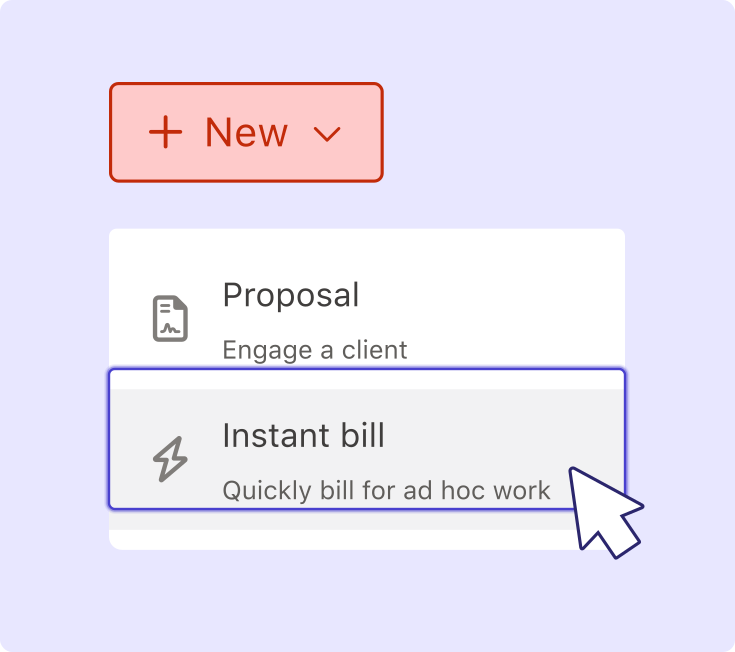
Instant Bill lets you charge for ad hoc client add-ons on the spot, without creating a new proposal.
Use it for one-off work that doesn't change the client's ongoing service or recurring fee. Enter the extra service and price, and describe the charge in the same terms you used when explaining the added work to the client. A specific description connects the invoice with the request and reduces confusion about what the charge covers. If the same request appears every month, update the ongoing scope and fee instead of issuing repeated one-off charges.
For the complete workflow, see how to bill for out-of-scope work.
Document scope drift with Agreement Amendments
Agreement Amendments document smaller scope changes and update billing without requiring a full contract re-sign.
Record each changed deliverable, responsibility, scope item, or fee in the client agreement. Use an amendment when the core engagement stays the same but a service, responsibility, or fee needs to change. State what's changing and when the updated terms take effect.
Identify the change, record it in an amendment, notify the client, and keep the updated scope connected to billing. Formal change-order workflows follow a similar sequence, creating a clear record before additional work begins. You can also build out-of-scope billing into a proposal to set those expectations from the start.
Sync fee changes with Smart Billing
Smart Billing syncs real-time employee headcount from Gusto to automatically calculate charges for services priced per employee. Ignition’s separate Xero and QuickBooks Online integrations automate invoicing and payment reconciliation, keeping billing and accounting workflows connected.
Use Smart Billing when changing client headcount or when usage would otherwise mean checking source data and recalculating each invoice manually. Define the variable billing model in the client agreement before using source data to calculate the charge.
This gives you and your client a shared basis for each fee change, keeps invoices aligned with the billing model in the agreement, and removes spreadsheet work from the process.
Automate price increases with AutoPricing
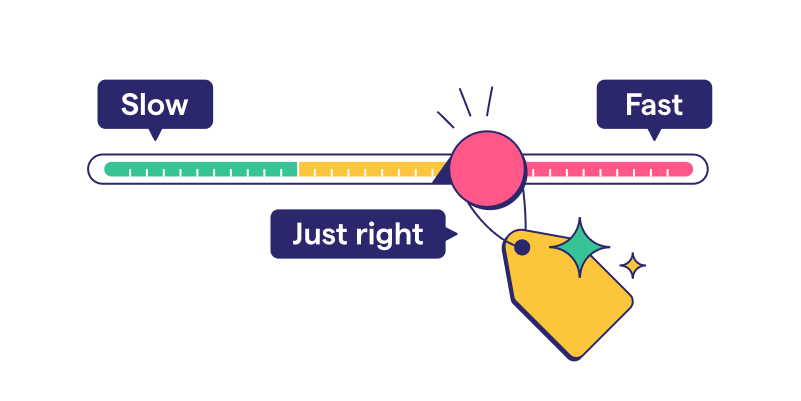
AutoPricing applies bulk fee increases across multiple clients instead of requiring one client update or negotiation at a time.
Use it when repeated scope growth or rising delivery requirements mean current fees no longer reflect the service provided. Identify the affected clients, determine the appropriate increase, and apply the pricing change across those accounts in Ignition.
Review the services and client groups affected before applying an increase, and keep the pricing decision consistent with the work documented in each agreement.
Manual process vs. Ignition workflow
Manual scope tracking separates agreements from billing and creates revenue leakage, while an Ignition workflow keeps documented scope and billing connected.
Criteria | Manual process | Ignition workflow |
| Documentation method | Scope is recorded in emails, spreadsheets, Word templates, or disconnected e-signature tools. | Contracts & Engagement Letters connect signed agreements with billing. |
| Client notification | Changes require separate emails and document updates. | Agreement Amendments notify clients of smaller scope changes without a full contract re-sign. |
| Billing trigger | A team member transfers approved scope into the billing process. | A signed agreement automatically triggers billing. |
| One-off charges | Staff create and send a separate invoice for additional work. | Instant Bill charges for ad hoc or out-of-scope work on the spot. |
| Variable-fee changes | Staff calculate changing payroll fees manually or through spreadsheets. | Smart Billing syncs employee headcount from Gusto to calculate per-employee charges. |
| Bulk price updates | Staff update pricing one client at a time. | AutoPricing applies price increases across multiple clients at once. |
Disconnected handoffs leave more room for approved work to go unbilled. Review recent scope changes and trace each one from client approval to invoice. Any missing or manual handoff is where revenue slips through.
Stop giving away billable work
Unbilled scope creep is lost revenue, not goodwill. The right workflow captures it without creating friction with clients. Ignition connects signed engagement letters directly to billing, turning approved scope changes and ad hoc requests into transparent charges.
Stop giving away billable work
Connect signed engagement letters directly to billing so scope changes turn into transparent charges.
Frequently asked questions
-
In-scope work covers the services, deliverables, limits, responsibilities, and fees in the signed agreement. Out-of-scope work falls beyond those documented terms and may require a separate charge or agreement change. Use the signed agreement to classify the request before work begins, then document and communicate any added scope and fee.
-
Name the specific deliverable or change that falls outside the signed agreement, rather than framing the conversation around blame. A brief explanation that the request falls outside the original scope, followed by a clear next step, keeps things professional. For one-off additions, Instant Bill lets businesses charge for the work without creating a new proposal.
-
A full contract rewrite isn't necessary for most scope changes. An amendment can document a smaller change to the deliverables or fee without requiring a full re-sign. New contracts make more sense for major shifts, like a completely different service line or engagement type.
-
Tracking scope changes client by client in spreadsheets or email becomes difficult across a large client base. Smart Billing automates eligible per-employee charges using Gusto headcount, while AutoPricing lets businesses apply fee increases across multiple clients.
-
Use Instant Bill for a one-off charge and an Agreement Amendment for a smaller ongoing scope change. Explain the added deliverable and fee, document the change, and notify the client before work begins. This keeps the charge connected to a clear request instead of introducing an unexpected invoice later.