Proposal to billing: Configure the handoff before the client signs



 Copied to clipboard.
A signed proposal sits in the inbox. Two days later, someone on the team is still manually re-keying the agreed scope into a separate invoicing system. The delay between signed and billed is the most preventable cash flow problem in professional services, and it happens because the proposal and the billing system were never connected in the first place.
A proposal-to-billing automation workflow is the automated sequence of system events triggered the moment a client accepts a proposal. Payment details are collected upfront, a billing schedule is initialized from the signed agreement, invoices are generated without re-entry, and payments reconcile to your accounting platform automatically.
This piece starts after the proposal is sent. It covers every automatic action from client acceptance to payment reconciliation, naming the specific steps, the order they happen in, and how Ignition Proposals, Ignition Billing, and Ignition Payments support each one.
Key Takeaways
- A proposal-to-billing workflow starts only if the proposal holds structured billing data when it is sent, so the configuration work happens before signing.
- Collecting payment details inside the acceptance step removes the post-signature chase that delays most billing start dates.
- Fees, billing frequency, and start date set in the proposal are what initialize the billing schedule, so each field needs a value before sending.
- A single signed agreement can carry both fixed retainer and variable headcount-based fees if each is configured separately in the proposal.
- Checking the first invoice and the first synced payment against the signed terms confirms the automation chain works end to end.
The disconnect between signed and billed
A signed proposal doesn't carry billing instructions into a billing system by default. The agreed fee, billing frequency, start date, and payment method each have to be re-entered manually unless the proposal was built to prevent that.
That disconnect is structural. Proposal, project, and invoice typically exist as three disconnected documents, with nothing passing data between them.
That's the configuration problem this workflow solves. It's also the core argument for automating the proposal-to-payment chain.
What should fire the moment a client signs
A client's signature is a system event. The moment a client accepts a proposal, a connected workflow takes over automatically. Four things happen in sequence:
- Payment details are collected upfront.
- The billing schedule initializes from the signed scope.
- The first invoice generates without re-entry.
- The accounting platform syncs.
The work of winning a client ends at signature. Everything after runs on its own.
Payment details collected upfront

Payment authorization belongs in the proposal acceptance step. When a client signs and payment details are captured in the same action, every billing cycle that follows has what it needs to execute automatically.
The most common reason a billing schedule starts late is simple. The firm signed the agreement but still needs the client's card number or bank details. That creates a manual task, a delay, and often an awkward conversation. Collecting those details at signing eliminates all three.
Ignition Payments embeds payment detail collection directly into the proposal acceptance workflow. When a client accepts a proposal, they provide their card, direct debit, or ACH authorization in the same step as the e-signature. No separate payment link, follow-up request, or waiting.
Getting clients to pay on time is easier when payment details are on file from day one.
Billing schedule initialized from signed scope
The signed proposal's amount, billing frequency, and start date become the active billing schedule automatically, with no re-entry into a separate system.
The manual alternative creates a re-entry point where errors accumulate. A team member reads the signed agreement, opens the billing system, and types the agreed fee, frequency, and start date in again. Each keystroke is a chance to enter the wrong amount, pick the wrong cycle, or delay the first billing date by days.
Ignition Billing carries those signed terms directly into the active billing schedule the moment the client accepts, so the cycle is live without anyone re-keying a single field.
That connection between the signed agreement and the billing schedule is what keeps invoices for professional services accurate from the first billing period. The fee the client agreed to is exactly what gets billed, on the frequency and start date already locked into the proposal.
Invoice generated without manual re-entry
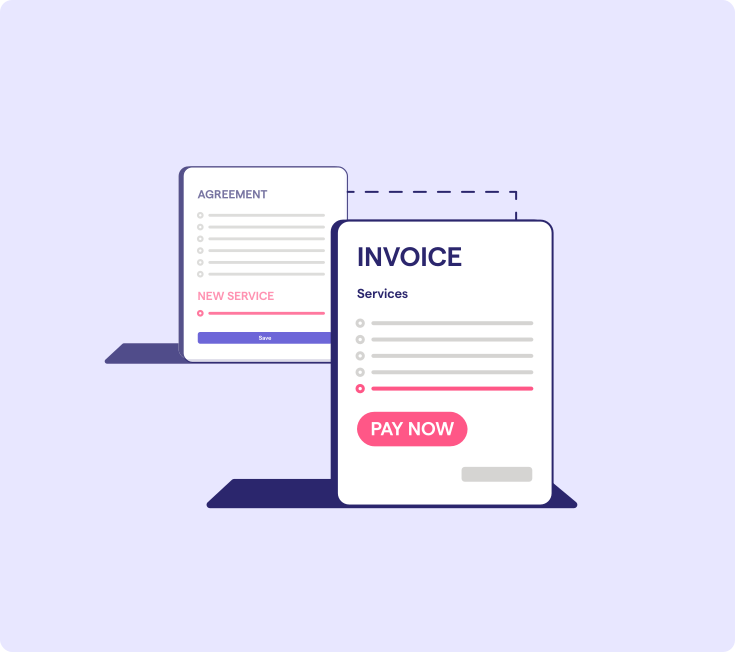
The first invoice generates directly from the signed agreement, with no human step between proposal acceptance and invoice creation. Ignition creates that invoice automatically, pulling line items, fees, billing period, and start date straight from the accepted proposal.
When the invoice appears, check four things against the signed terms:
- The service line items match what was proposed.
- The amount matches the agreed fee.
- The billing period is correct.
- The start date reflects what the client accepted.
If all four align, the workflow is clean.
That check matters because the alternative is a team member drafting the invoice from memory or an outdated template. A single transposed figure or a wrong billing period creates a mismatch at the first cycle, which then requires a correction conversation with a client who just signed. Eliminating the transcription step eliminates that risk entirely.
This accuracy carries through into client onboarding more broadly. When billing reflects exactly what was agreed from day one, the relationship starts cleanly, with no corrective email in the first week.
Accounting platform synced automatically
Invoice and payment data flows into Xero, QuickBooks Online, or MYOB automatically the moment a payment is collected, with no manual journal entries required.
At 50-plus clients, month-end reconciliation stops being a quick task. Matching collected payments to open invoices across dozens of accounts is a recurring manual burden that compounds every billing cycle. The more clients a firm carries, the more time disappears into that matching process.
Ignition Payments closes that loop automatically. When a client pays, the invoice and payment record sync directly into the connected accounting platform, keeping receivables current in real time. Firm owners get an accurate picture of what's collected and what's outstanding without touching a spreadsheet or running a manual match at month-end.
That real-time visibility matters beyond convenience. Stale receivables data leads to delayed follow-up on unpaid balances and unreliable cash flow reporting. Automatic reconciliation removes both risks.
It's also why invoice automation needs to cover reconciliation too. Automation that stops at payment collection and leaves reconciliation manual hasn't finished the job.
Configure your proposal to trigger the right billing
The billing outcome at signing is determined entirely by what's configured inside the proposal before it leaves your hands. Five fields drive the automated sequence, and each maps directly to a downstream billing action:
Proposal field | Billing action triggered |
| Service line items and fees | Invoice amounts |
| Billing frequency | Recurring schedule |
| Billing start date | First invoice date |
| Payment method options | Payment capture at acceptance |
| Deposit or upfront terms | Initial charge |
A proposal sent without these fields configured forces a manual step after signing. The billing system has no structured data to act on, and that's the most common reason the automation chain breaks before it starts.
Ignition Proposals structures all five fields natively, so the proposal doubles as the billing instruction set. Service packages and add-ons, including upsells, are included in the same signed agreement. If you're deciding how to structure those packages, this guide on packaging bookkeeping services is a practical starting point.
After the first proposal is accepted, verify the first invoice and the first synced payment against the signed terms to confirm the automation fired correctly.
Recurring retainers versus project billing from one agreement
One signed agreement can initialize both a fixed recurring retainer and a variable or project-based billing schedule. The difference comes down to how each fee is configured inside the proposal before it goes to the client.
For accounting firms managing mixed billing structures, a client on a fixed monthly retainer gets that fee set once in the proposal. A client billed on headcount or payroll runs gets a variable fee structure instead. Both live in the same agreement, and both flow into billing automatically at signature.
Smart Billing handles the variable side. It syncs with Gusto, Xero, and QuickBooks Online to pull headcount or payroll data and calculate the correct charge automatically, removing the manual calculation step that currently eats time every billing cycle. For growing and scaling bookkeeping firms, that automation multiplies quickly across a large client base.
AutoPricing handles rate changes. When retainer fees increase, AutoPricing applies the update across multiple clients at once, so nobody has to edit each billing schedule by hand.
Billing for out-of-scope work without breaking automation
Instant Bill lets your firm charge for completed extra work immediately, without touching the original agreement or pausing the recurring schedule already running.
The alternatives (a manual invoice created outside the automated system or a revised proposal) both introduce friction and break the billing rhythm.
An Instant Bill charge follows the same path as any scheduled invoice: it processes through Ignition Payments and syncs automatically to Xero or QuickBooks Online, so no manual matching is needed at month-end. The recurring schedule continues untouched alongside it.
How payments reconcile to Xero and QuickBooks Online
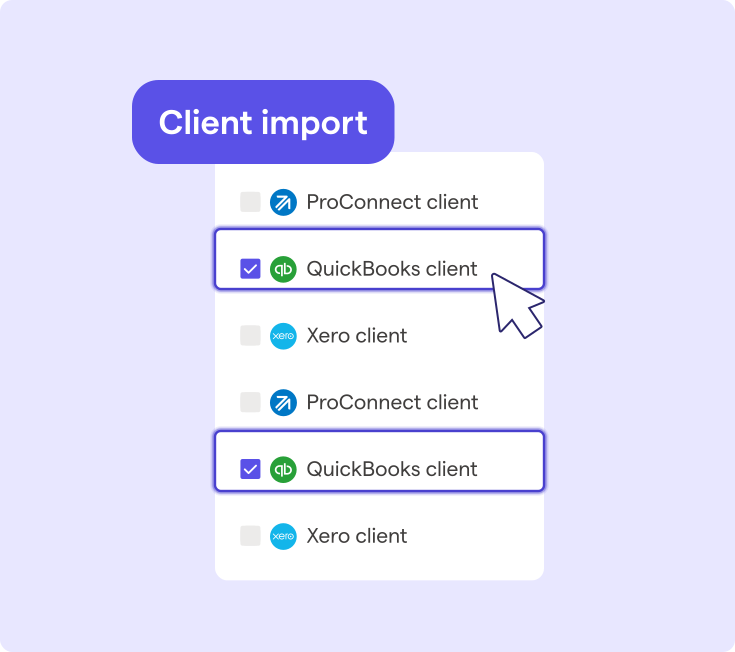
Every payment collected through Ignition Payments carries the invoice, payment amount, client record, and transaction date directly into Xero, QuickBooks Online, or MYOB without a manual step.
What syncs automatically:
- Invoice creation tied to the signed agreement
- Payment status updated on collection
- Transaction records matched to the correct client record
For a firm billing 50-plus clients across retainers and variable fees, that automation is what makes the full automated billing workflow financially viable. The proposal-to-payment cycle only works at scale when the accounting platform stays current without anyone touching it.
Stop chasing what automation should have handled
When a proposal is built correctly from the start, client acceptance triggers payment authorization, billing initializes on the agreed schedule, invoices generate automatically, and reconciliation syncs to Xero or QuickBooks Online, all without any manual steps. Completed work outside the original scope gets billed through Instant Bill before the conversation is even over. The chain runs end to end.
Ignition covers that entire sequence, from the moment a client signs through billing, payment collection, and accounting reconciliation, without requiring a separate tool at any stage.
Connect your full proposal-to-payment workflow
From signed agreement to reconciled payment, Ignition handles every step automatically.
Frequently asked questions
-
A connected proposal-to-billing workflow works best when proposals and billing operate inside the same platform. When proposals live in one system and invoicing in another, someone must manually transfer agreed scope, fees, and billing frequency between them. That re-entry step is precisely where billing errors, delayed schedules, and scope mismatches tend to enter.
-
A failed payment after signing doesn't have to break the automated billing sequence, provided the platform tracks payment status and flags the failure without requiring manual intervention to identify it. Ignition Payments includes payment tracking for failed charges, refunds, and disputes, so firm owners can see outstanding issues across all clients from a single view. Resolving the failure and reprocessing the charge can then happen without rebuilding the billing schedule from scratch.
-
Currency handling in a proposal-to-billing workflow depends entirely on what the platform supports at the proposal configuration stage, since currency is set when the agreement is created. Firms billing international clients should confirm that the platform can generate invoices, collect payments, and reconcile transactions in the client's currency before committing to an automated workflow. Mismatched currency settings at the proposal stage typically require manual correction before the billing cycle can run cleanly.
-
A digitally signed proposal can carry the same legal weight as a formal contract when it contains the agreed scope, fee, payment terms, and an authenticated e-signature from both parties. Many accounting firms and professional services businesses use signed proposals as their primary engagement agreement, which is why connecting billing directly to proposal acceptance is both operationally and legally coherent. Firms operating in regulated industries should confirm local requirements with a legal advisor, since enforceability standards for e-signatures vary by jurisdiction.
-
A phased approach works best for most firms: new clients onboard through the automated proposal-to-billing sequence first, while existing clients transition at renewal. This avoids rebuilding every active billing schedule at once and lets the firm confirm its proposal configuration on new engagements before migrating established ones. Firms with well-documented service packages and standard billing frequencies can move existing clients faster, since those terms map directly into proposal templates.