The client communication tips that actually stop scope creep



 Copied to clipboard.
Keeping client work profitable gets harder when a signed engagement letter sits in one inbox, billing lives in another tool, and a team starts a "quick" extra request before anyone confirms the price.
There are a few client communication tips to keep that scope creep under control: practical systems your business can use to confirm scope, set expectations, document changes, and automate billing conversations throughout a client engagement.
Done well, these systems connect what the client approves with the work delivered and the amount billed. For accounting firms managing high volumes of engagement letters or agencies balancing retainers, projects, and time-and-materials work, that connection protects revenue without adding more manual follow-up.
That's the gap Ignition closes. Contracts & Engagement Letters connects agreements with billing and payments in one platform, helping you set firmer boundaries, handle changes clearly, and move from client approval to billing with fewer awkward conversations.
Key takeaways
- Clear engagement letters that define scope, fees, and billing terms can prevent many client communication breakdowns before work begins.
- Documenting scope changes and billing for out-of-scope work immediately helps prevent scope creep from disrupting client communication and cash flow.
- A signed engagement letter can automatically trigger billing, removing the manual handoff that often leads to awkward payment conversations.
- Syncing engagement and billing data with tools like Xero, QuickBooks, and project management platforms can keep communication consistent across teams.
- Bulk sending and tracking renewal engagement letters can help high-volume firms maintain timely client communication during tax season.
Why client communication breaks down
Client communication breaks down when you miss renewals, leave scope changes undocumented, or fail to make billing terms clear before commencing work. Missed renewals leave clients uncertain about whether an agreement continues. Undocumented changes create conflicting expectations, and vague billing terms turn invoices into unwelcome surprises.
Suralink found that communication is a leading source of client frustration, with 62% of respondents experiencing five or more miscommunications per engagement. Getting ahead of communication breakdowns can help you manage relationships proactively, and even stay ahead of additional revenue opportunities: data from Ravical shows that some clients seek out different providers for services their existing accounting firm can do. Proactive communication gives you the chance to hear your client’s pain points and direct them to services you provide.
Create one current record for each client that captures the agreement, renewal status, approved changes, and billing terms. Ignition centralizes agreement creation, delivery, e-signatures, and management in one platform. Review that record before each renewal and whenever work changes to improve client relationships and support retention.
Keep every client record current.
Centralize agreements, renewals, and billing terms in one platform with Ignition's Contracts & Engagement Letters.
Set clear expectations with engagement letters
Engagement letters set clear client expectations by documenting scope, fees, deadlines, and billing terms before work starts. They give clients a reliable reference after client meetings and reduce misunderstandings later.
Bulk send and manage renewals during tax season
Bulk sending and tracking renewal engagement letters helps businesses with large client bases stay organized and on schedule during tax season. Sending renewals in one batch eliminates the need to prepare and email each document separately.
Current engagement letters give every client a clear record of the services and terms that apply. If your business performs preparation, compilation, and review engagements, you may also want to consult the relevant AICPA standards and guidance.
Use Ignition’s templates to prepare letters in bulk, then track acceptance in one place so your team can follow up on unsigned renewals before work begins.
Stop scope creep before billing stalls
Scope creep stalls billing when clients receive extra work without a documented change and updated fee. Informal messages leave delivered work disconnected from the scope and price the client approved.
Written scope and pricing updates keep the client agreement aligned with billing. That clarity helps build healthy client relationships and makes out-of-scope charges easier for clients to understand.
Bill for out-of-scope work immediately
Document the changed scope and updated fee before your team starts the extra work. First, identify the request that falls outside the original agreement. Then send an Agreement Amendment through Ignition that explains the scope and fee change. The client can approve the amendment without signing a full new agreement.
A short, consistent workflow helps account managers and delivery teams handle each request the same way:
- Compare the request with the approved deliverables, deadlines, assumptions, and client responsibilities.
- Describe what has changed without using internal terminology or placing blame on the client.
- Confirm the added fee, revised deadline, and any effect on the original work.
- Record the approval before assigning the extra work or changing the project plan.
Your first response can acknowledge the request without committing to delivery: "We can help with that. I'll check it against the current scope and confirm the fee and timing."
After approval, update the internal work plan and notify the person responsible for billing so the delivery team sees the approved change before work begins.
For an agency scope change, keep the follow-up specific: "Your request adds two landing pages beyond the agreed scope. The additional fee is $X, and work will begin once you approve this change."
Get more practical steps for protecting revenue in the out-of-scope work webinar.
Make billing communication automatic
Automatic billing communication removes awkward payment chases by collecting payment details when the client signs. Before sending the agreement, let clients know what to expect from Ignition and how the payment process will work.
Ignition then connects that communication to action, using the signed agreement to trigger billing without a manual handoff.
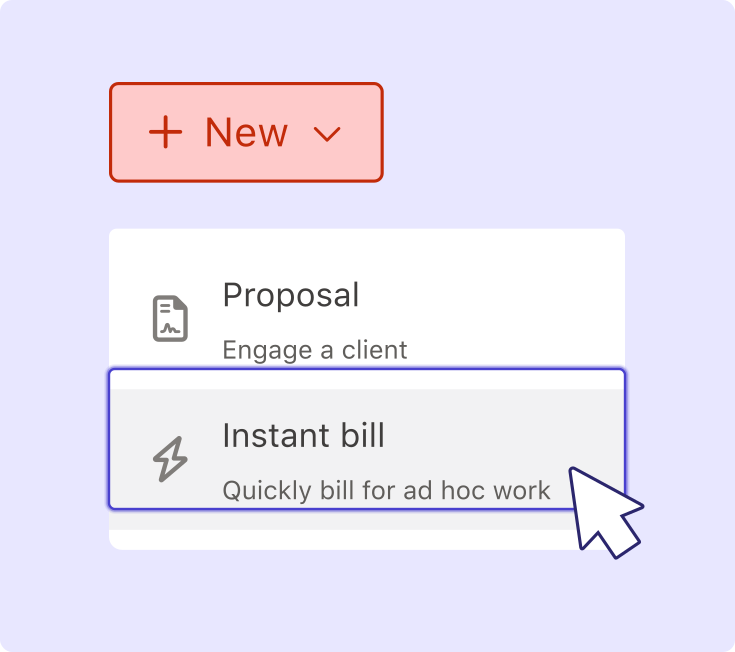
Trigger billing the moment a letter is signed
In Ignition, a signed engagement letter can automatically trigger billing instead of leaving your team to transfer contract details into a separate process. Set the agreed services, fees, and billing terms before sending the letter so the approved engagement flows directly into billing.
Set expectations with a simple message: "Your engagement letter includes the agreed services, fees, and billing terms. Billing will begin after you accept the agreement."
With a standalone contract tool, someone may still need to set up billing, copy over contract details, and confirm the invoice matches the agreement. Ignition connects the agreement-to-billing workflow, reducing delayed or missed invoices and helping ensure clients receive charges that reflect what they approved.
Keep communication connected to your tools
Client communication stays consistent when engagement and billing data remain connected to the tools each team uses every day.
When scope, billing, and client details are split across email, spreadsheets, accounting records, and project workflows, your team may act on conflicting information. Connecting engagement data with accounting and project management platforms reduces those disconnected handoffs.
Start by deciding which system holds the approved scope and which manages invoices or delivery. Test the workflow with one accepted engagement and confirm that the receiving system reflects the approved client, service, fee, billing, and deadline information before rolling it out more widely.
Sync engagement data with Xero
Syncing engagement and billing data with Xero keeps invoicing and client records aligned without manual re-entry. The Xero integration connects Ignition with the accounting records your team uses every day.
Before connecting the workflow, review how client names, services, and fees appear in both systems. Consistent naming makes it easier for staff to match an invoice with the correct engagement letter. If the client later adds work, document the change before updating billing to keep the agreement and accounting record aligned.
Sync engagement data with QuickBooks Online
A QuickBooks Online connection helps keep signed engagement terms and invoicing consistent across your client accounts. Connect Ignition through the QuickBooks Online integration so engagement and billing information stays in sync.
For each accepted engagement, confirm the client record, approved service, fee, and billing start date before work begins. If a detail changes, update the agreement first so billing doesn't get ahead of client approval.
Link proposals to project management platforms
Linking signed proposals to project management platforms keeps agency teams working from the scope, deadlines, and deliverables the client approved. Use the accepted proposal in Ignition as the source for the project brief, tasks, deadlines, deliverables, and client responsibilities.
For example, if an account manager receives a request for extra design work, the delivery team can compare it with the accepted proposal. If it falls outside scope, the account manager can pause the task and send an Agreement Amendment before starting work.
Turn communication into your billing engine
Reliable client communication stops depending on individual habits when engagement letters, documented scope changes, billing, payments, and downstream tools work together. Connecting those steps reduces manual proposal drafting and awkward payment chasing while supporting stronger client retention.
Ignition's Contracts & Engagement Letters connects client approval directly to billing, helping reduce scope disputes, administrative work, and payment friction.
Turn signing into billing, automatically.
Connect engagement letters, scope communication, billing, and payments in one platform with Ignition.
Frequently asked questions
-
Most businesses benefit from communicating at key milestones rather than on a rigid schedule, tied to sending, signing, invoicing, and renewal. Those that automate these touchpoints, like sending confirmation the moment a proposal is signed, tend to reduce client uncertainty without constant manual follow-up. Ignition's automated proposal and billing workflows can help maintain this steady rhythm without adding admin work.
-
Starting out-of-scope work without documented approval creates real risk, since it’s harder to bill for after the fact. The safest approach is pausing new work until the client signs off on the updated scope and fee.
-
Businesses with fewer clients face the same compliance and cash flow risks as larger businesses, just at a smaller scale. Standardizing engagement letters and billing early saves time as a business grows, rather than rebuilding processes later under pressure. Ignition's Contracts & Engagement Letters helps smaller practices build good habits early and maintain them.
-
Invoice disputes usually trace back to unclear scope or pricing agreed earlier in the engagement, not the invoice itself. Referencing the signed engagement letter or proposal, which documents fees and scope in writing, keeps the conversation grounded in what both parties agreed to. Businesses using connected billing and contract systems can access that documentation more easily, helping keep the conversation factual.
-
General communication tools, like messaging apps or client portals, help teams share updates but aren’t specifically designed to formalize scope, fees, or approvals. An engagement letter platform documents what was agreed, then connects that agreement directly to billing and payments. In Ignition, accepting an engagement letter can automatically trigger billing, a step standalone communication or e-signature tools may leave to a separate process.