What is the Ignition MCP and how does it work?



 Copied to clipboard.
You already have Claude or ChatGPT open. But the moment you need something from Ignition, the AI hits a wall. It can’t check what’s outstanding on a client account, pull a proposal status, or surface which invoices are overdue. So you switch tabs, look it up manually, and switch back. That’s the opposite of what having an AI assistant is supposed to accomplish.
The Ignition MCP solves it. The Model Context Protocol (MCP) is an open standard that lets AI assistants connect to external platforms; Ignition’s MCP server builds on that standard to give Claude or ChatGPT direct access to your proposals, invoices, deals, and billing data, so you can ask in plain English and get a real answer rather than an instruction to go look it up yourself.
It’s free on every Ignition plan and live today, not a beta or future release. Some requests are ready to hand off right now. Others, anything client-facing or financial, still need your sign-off before anything goes out.
Key Takeaways
- Connecting an AI assistant for accounting admin can be a permissions-based authorization step rather than a technical build requiring developers or IT support.
- An AI assistant handling accounting tasks only ever sees and does what the connected user’s existing role and plan already permit, with no elevated access.
- Firms can use plain-English requests to surface overdue invoices, proposal drafts, or pipeline status without logging into a separate platform each time.
- Client-facing or financial actions, like sending a proposal or issuing an invoice, still require a firm owner’s explicit review before anything goes out.
- Treating an AI assistant as a tool for routine status checks, rather than a replacement for judgment, addresses the core fear driving hesitation around MCP adoption.
What the Ignition MCP replaces day to day
The Ignition MCP replaces routine tab switching by moving invoice checks, proposal drafts, payment reviews, and pipeline questions into plain-English chat requests. Instead of opening Ignition and clicking through separate tabs for invoices, proposals, and deals, a firm owner types one request into Claude or ChatGPT and gets the answer in the same conversation.
That shift covers the tasks that eat up a workday without requiring much judgment.
None of this replaces the accountant’s expertise. It removes the clicking, searching, and re-checking that sits underneath every client decision, giving that time back for the advisory work only a person can do.
No developer or IT ticket required
Connecting the Ignition MCP is a permissions-based authorization step, not a technical build that needs a developer or an IT ticket. A firm owner completes it alone, in minutes.
The process starts in Claude or ChatGPT settings. Open the assistant’s settings, find the Ignition connection option, and authorize access using the existing Ignition account.
Nothing about this involves code or API keys. Ignition’s MCP needs no configuration file, so even a solo practitioner or small firm without dedicated IT staff can use it.
That’s key for firms without dedicated IT support. A solo practitioner can turn on the connection between client calls, with no vendor call to schedule. For click-level instructions, Ignition’s support article walks through the steps for connecting the MCP inside either assistant.
See the top AI tools for your firm.
Watch the webinar on the AI tools accounting firms need to work faster without adding risk.
Everyday requests you can hand off now
The best first requests are frequent, easy-to-review tasks: the kind you already check daily but wish took less time.
A few requests fit that description for most firm owners:
- Chasing overdue invoices
- Drafting a proposal
- Checking deal status
- Reviewing payment status
Each one takes seconds to ask and seconds to read, which is why they make a good starting point before trying anything more complex.
Chasing overdue invoices and payments

You can type a simple request, like “every invoice overdue by 30 days or more,” and get an answer without opening the Billing Hub at all. The useful inputs are simple: invoice age, payment status, or a specific client name. The assistant returns the matching list directly in chat.
This works well as a standing Monday-morning check, run before the day's client calls start. What used to mean opening the Billing Hub and filtering a list becomes a single question answered in the same chat window.
That speed matters because the wait for payment keeps stretching. In the June quarter of 2026, U.S. small businesses waited an average of 29.3 days to be paid. Faster visibility into what's overdue means faster action.
Surfacing the list is where the assistant's job ends. Collecting the balance still runs through Ignition's existing AutoCollect and payment workflows, not through the chat itself.
Spot overdue invoices in seconds.
See how firms use connected accounting to catch late payments faster.
Drafting a proposal from your template
You can ask the Ignition MCP to prepare a proposal draft straight from an existing Ignition template, instead of opening a blank document. The request just needs a client name and the relevant service package, something like "draft a proposal for Riverside Dental using the Bookkeeping Growth package."
The assistant pulls that package's pricing and scope directly from Ignition and builds the draft around it.
That replaces the old habit of rebuilding a proposal in Word each time, or copying an old client's document and hoping the numbers still match current pricing. Templates in Ignition stay consistent, so the draft does too.
This also helps when a template needs a small tweak for one client. The draft becomes a starting point to edit inside Ignition, rather than a blank page to fill in from scratch.
Checking deal and pipeline status
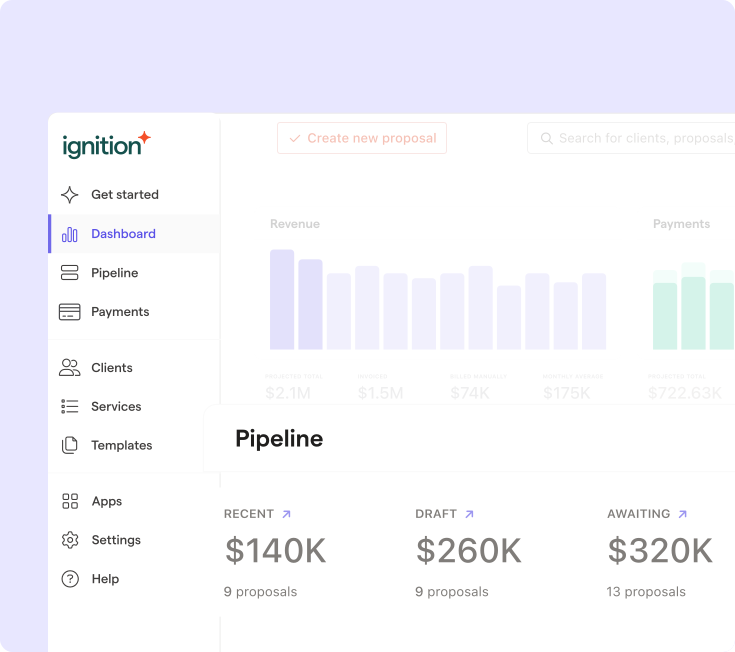
The Ignition MCP can answer pipeline questions, surfacing which deals have gone quiet or which prospects are closest to signing without scrolling through Ignition's Deals view.
That beats tracking prospects across spreadsheets or email threads, where follow-up gets inconsistent and deals stall without anyone noticing.
That kind of visibility fits naturally into a weekly pipeline review. You can ask which prospects have gone quiet before a Monday team meeting, rather than switching tools and reviewing Deals first.
Note: The assistant only reports what's happening in the pipeline. It doesn't send follow-up messages or move a deal to a new stage.
Reviewing payment status
The Ignition MCP can check whether a specific client’s payment cleared or flag which clients still sit on an older pricing tier, all without opening the Billing Hub. That answer becomes prep work. Knowing who’s overdue or underpriced before running an AutoPricing update means fewer surprises once fees change.
This same check works well right before running an AutoPricing update. It flags which clients are still on older pricing across a whole segment, in one pass instead of client by client.
Your existing role sets the assistant's limits
The AI assistant only sees and does what the connected user’s current Ignition role and plan already allow, nothing more. If a staff member’s Ignition login only shows a handful of client accounts, that same staff member gets the identical limited view through the assistant. Ask it about invoices outside that scope, and it has nothing to show.
Connecting the assistant doesn’t open a side door into broader access. It can’t see billing data, contracts, or client records that the connected login couldn’t already reach on its own.
That’s a practical safeguard for firm owners, not a technical one. A managing partner doesn’t need to run a formal security review before letting a team member try the Ignition MCP, because the connection mirrors permissions already in place across the firm.
This permission mirroring also means a new hire can start using the assistant right away, without a separate IT approval process. Access follows whatever that person’s Ignition login already allows.
What still requires your sign-off first
Sending a proposal, issuing an invoice, or applying a bulk price change still requires the firm's explicit review and confirmation. That human review step is crucial: tax services accounted for 77% of claims against CPA firms in AICPA's 2024 data, a reminder that a rushed send can carry professional risk.
The Ignition MCP can draft and prepare these actions, but it stops short of pushing anything client-facing or financial out the door without that final approval.
This limit addresses a concern among accounting professionals: that AI will start making decisions that belong to a firm owner. Judgment calls, especially ones involving money or client communication, stay where they belong. That safeguard applies the same way whether the request comes from a firm owner or a staff accountant testing the assistant for the first time.
Keep control while automating the rest.
See how MP Professional Bookkeeping balances AI preparation with firm owner sign-off.
Free on every Ignition plan
The Ignition MCP has no additional cost on current Ignition plans, with no extra fee to connect or use it.
Trying it out doesn’t require a plan upgrade decision. There’s no tier to research, no cost comparison to run past a partner, and no sign-off needed beyond the firm’s own call to connect it.
Access comes down to the authorization step already covered: granting the assistant permission through the connected user’s existing login. Once that’s done, the assistant is live, working inside the same account access the firm already pays for.
Plan names and pricing details can shift, so confirm current plan structure directly with Ignition before making any billing decision.
Start delegating admin to your assistant today
An invoice check that once meant logging into three systems now takes a plain-English request and a few seconds of waiting. That’s the practical shift the Ignition MCP makes possible: proposal drafts, pipeline reviews, and payment-status questions become quick asks instead of admin chores, while anything that touches a client’s contract or bill still lands on a firm’s desk for a decision.
Firms already using Ignition for proposals, contracts, billing, and payments are best placed to see benefits quickly. That familiarity also makes it easier to trust the assistant’s first few answers. Ignition handles the administrative load behind that request, so the assistant draws from current data.
Simplify admin with Ignition MCP.
See how the MCP fits into your AI workflows to save your staff hours of admin.
Frequently asked questions
-
Claude and ChatGPT are the two AI assistants that currently connect to Ignition's MCP, matching the tools most firm owners already have open. Connecting either one uses the same permissions-based authorization step, so there's no separate setup process depending on which assistant a firm prefers. As more AI assistants adopt the Model Context Protocol standard, Ignition's MCP has the potential to extend to additional tools over time.
-
Disconnecting an AI assistant from Ignition takes only a few clicks inside the assistant's own connected-apps or settings menu. Removing the connection immediately cuts off the assistant's ability to read or act on Ignition data, since access was tied to that authorization. Firms can reconnect later using the same short authorization step, so revoking access carries no lasting setup cost.
-
Each team member with an Ignition login can connect their own AI assistant using their individual authorization step. The assistant mirrors that person's existing role and plan permissions, so a staff accountant's assistant sees only what that accountant already sees inside Ignition. This makes MCP adoption a per-user decision rather than a single firm-wide switch that has to be rolled out all at once.
-
Because the Ignition MCP only surfaces data already stored in the platform, a wrong answer usually points to an unclear request or outdated data. Rephrasing the request or checking the same record directly inside Ignition quickly resolves most mismatches. Since anything client-facing or financial still requires explicit confirmation before it sends, a misread request cannot result in an incorrect invoice or proposal going out.
-
Ignition's MCP requires no code, API keys, or developer time. It works because Ignition has already built and maintains the connector, so a firm owner completes a short authorization step, not a technical project. A custom API integration, by contrast, would require ongoing development work and internal technical resources that most accounting firms don't have on staff.