The accountant’s guide to AI tools for workflow efficiency



 Copied to clipboard.
Running an accounting firm would be so much easier if it were just accounting.
Instead, you’re contending with a growing administrative burden: manual data entry, bottlenecks during reconciliation, and other repetitive tasks have to get done. But they distract you from high-value advisory work.
Many AI tools now offer an attractive promise: they’ll handle routine accounting workflows and day-to-day administrative tasks for you so you can stay focused on delivering greater value and improving cash flow.
But comparing tools is time-consuming, and tool fatigue is real. Finding the tools that fit your workflow (without introducing new hurdles and obstacles) can take trial and error.
This article gives you a practical overview of the top AI tools accounting professionals are adding to their tech stacks. If you’re exploring AI adoption for the first time, use this guide to learn how to evaluate tools for your own business and jump straight to the AI workflows that deliver real value.
Key takeaways
- AI tools for accounting can reduce workflow bottlenecks by automating repetitive tasks like data entry, bank reconciliation, and invoice coding, freeing up more time for client advisory work.
- The most impactful AI adoption starts with a single workflow (such as proposal creation or payment collection) rather than overhauling your entire tech stack at once.
- Integration with existing platforms like Xero or QuickBooks Online is essential when evaluating AI accounting tools, ensuring data flows seamlessly without manual re-entry.
- AI-powered proposal and billing platforms like Ignition can help firms prevent scope creep and collect payments faster by automating the quote-to-cash cycle.
- Measuring ROI from AI tools requires setting clear KPIs before implementation—track time saved, error reduction, and cash flow improvements to justify continued investment.
Why AI is changing everyday accounting
AI tools for accounting use machine learning and automation to streamline accounting tasks like invoice processing, bank reconciliation, proposal creation, and payment collection.
Accounting businesses use AI tools to reduce manual, error-prone workflows. By using tools that learn and improve over time as they automate certain functions, accounting businesses gain a competitive edge that helps them scale their client base and grow revenue without adding headcount.
The accounting industry is largely taking a cautious approach to AI adoption, for good reason. In an industry where precision matters, hallucinations and rogue changes to data simply can’t happen.
Still, the benefits of adopting AI tools are too great to ignore:
- Real-time cash flow visibility: AI tools can intelligently access cash flow information and show it in dashboards and reports.
- Faster client onboarding: AI-powered tools can automate many steps in the onboarding process.
- Increased capacity for advisory services: By reducing manual, low-value work, you’ll free up time for high-value advisory work.
Workflow bottlenecks that AI can reduce
The most time-consuming manual tasks are also the ones you’re stuck doing day in and day out: data entry, invoice matching, bank reconciliation, chasing late payments, and even creating client proposals.
AI tools are great for pattern recognition, making them a strong option for automatically categorizing data and engaging in predictive coding.
That makes AI a strong fit for repetitive workflows and time-consuming tasks:
- You can use AI to handle a wide range of data entry and matching tasks, including invoice matching and bank reconciliation.
- You could also use AI to set up automations that send late-payment reminders to clients.
- Generative AI tools trained in the language of accounting can generate first drafts of your client proposals.
All of these are examples of how AI can help you reduce errors in manual work, move repetitive work forward faster, and spend more time on client-facing services.
See the top 5 AI tools for accounting
Watch a free webinar on the 5 AI tools making the biggest mark on modern accounting.
Key accounting workflows AI can automate today
With all the hype surrounding AI, you’ll likely see some promises.
But the truth is, not all accounting workflows actually require it (some automations, for example, rely on programming, not artificial intelligence). And the AI tools available can’t solve every accounting challenge.
AI is most useful for use cases and workflows that involve high-volume, repetitive tasks where automation creates measurable ROI.
Each of the workflows described below illustrates a use case where AI delivers value, paired with the type of AI tool you’ll use to enhance it.
Proposal and letter of engagement creation

AI-powered platforms can pull together client data and populate a template with language that reflects your services. Some tools can pull from a content library you provide so the language stays on-brand and the details remain accurate.
For letters of engagement and client proposals, automating your first draft saves significant time at scale. Using clear, vetted language also helps reduce scope creep by defining services and scope from the outset.
Some tools, including Ignition, use AI to analyze pricing data for various accounting services, then recommend pricing tiers that balance competitiveness, profitability, and your business’s position in the market.
Why this matters: Building proposals and letters of engagement faster means reaching customers more quickly. Using AI-powered pricing data keeps you competitive and reduces guesswork about what rates to charge. And if you choose an AI tool that includes e-signatures and payment capture, you’ll shorten the distance between proposal and payment.
Accounts payable and bill capture
AI tools can also extract data from invoices, match those invoices to purchase orders, and route them for approval—all without manual entry.
Why this matters: Reducing manual input lowers the risk of manual errors and improves your team’s speed. Plus, tools that use machine learning generally improve accuracy over time. As they process more documents, they get smarter in a sense.
Heads up: Industry focus matters here. While you want a tool that gets better over time, in finance you need to stick to tools that do so without training public models on your data (because “your data” actually means “your clients’ private financial information”). Industry-specific tools are more likely to account for these requirements, but watch out for general-market tools that may not protect your data to the level you require.
Invoicing and payment collection
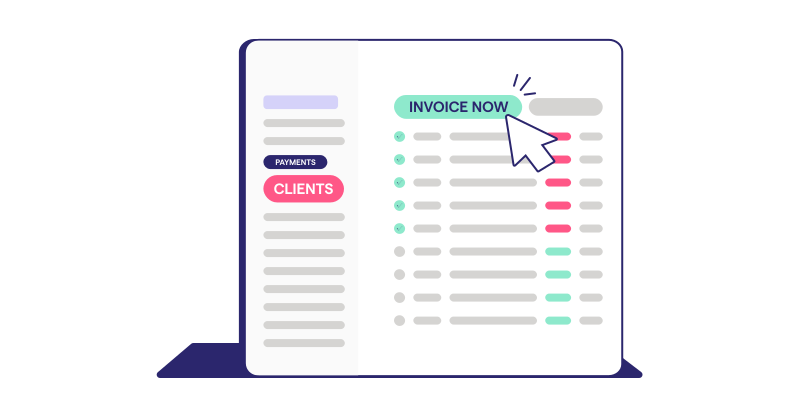
If you’re still spending hours each month generating and sending invoices or chasing down late payments, there’s a better (AI-powered) way. AI tools can automate many parts of this workflow, generating invoices, sending payment reminders, and even predicting which clients are likely to pay late.
Why this matters: Automating manual, lower-value work like this opens up your capacity so you can reach more clients with higher-value services.
Leading AI tools for accounting firms
These are five of the apps and platforms doing the most with AI in accounting in 2026. Each one addresses some or all of the workflows above.
Before getting started, one clarification: There is no single best tool in this category. The best tool or platform for your business will depend on several factors, including your existing tech stack, your client base or client mix, and which workflows you’re prioritizing for improvement or automation.
| Platform | Best for | Key strength |
| Ignition | Accounting firms that want to automate quote-to-cash | Proposal creation, engagement letters, billing, and payments in one workflow |
| QuickBooks with Intuit Assist | Firms and clients already using QuickBooks Online | AI-assisted insights and bookkeeping support inside the general ledger |
| Xero with JAX | Xero-based firms that want conversational access to accounting insights | Plain-language answers and insights from Xero data |
| Vic.ai | Finance teams focused on AP automation | AI-assisted invoice processing, coding, and purchase order matching |
| Dext Prepare | Firms that need faster receipt, bill, and document capture | Document extraction, supplier rules, and transaction matching |
1. Ignition — Proposals, payments, and onboarding, automated
Ignition is the top choice for accounting firms that want to automate the entire quote-to-cash cycle. More than just a proposal automation tool, Ignition is a full-service platform that brings everything together, enabling accounting firms to automate accounts receivable and more.
Ignition brings together AI-assisted proposal creation, e-signatures, automated billing, and payment collection. The platform is purpose-built for accounting firms, bookkeepers, and professional services, giving a level of focus on financial workflows that generic document tools and off-the-shelf genAI products aren’t designed to support.
Key features
- AI-powered proposal templates with smart pricing recommendations with AI-Powered Price Insights
- Integrated e-signatures and upfront payment capture
- Automated recurring billing tied to signed engagements
- Scope change billing for out-of-scope work
- Bulk contract renewals with automated price increases
- Deep integrations with Xero, QuickBooks, and practice management tools
It’s time for purpose-built AI-powered automation
Try Ignition, the AI automation platform purpose-built for accounting and professional services.
2. QuickBooks with Intuit Assist — AI-assisted bookkeeping, insights, and advice
Intuit Assist is the AI layer built into QuickBooks Online. For firms already working in QuickBooks, it adds conversational support and AI-assisted insights inside a familiar accounting platform.
Intuit Assist is a generative AI assistant that pulls from contextual data sets to identify abnormalities in spending, cash flow hot spots, and more. Users can ask basic questions in natural language, making it relevant for small businesses.
Key features
- Conversational AI experience for answering everyday accounting questions
- Automatic website data importing to help businesses get set up in QuickBooks faster
- Smart insights on financial performance to equip business owners for more informed decision-making
QuickBooks is an excellent product for general ledger automation, which makes it popular with small businesses (including some of your current clients). But it doesn’t provide a full proposal-to-payment workflow or scope management capabilities in the way Ignition does.
If you already use QuickBooks but want to add a complete quote-to-cash solution, Ignition’s QuickBooks integration enables you to use the best of both platforms.
3. Xero with JAX — Predictive financial analytics for data-driven accountants
Xero is a cloud-based accounting software solution designed mainly for small businesses. The platform handles core accounting automation effectively, with features for invoicing, payroll, bank reconciliation, and financial reporting.
Xero has introduced JAX (“Just Ask Xero”), a conversational AI assistant it calls a super agent. JAX is currently positioned around helping users find information and insights from accounting data.
Key features
- Conversational AI assistant that turns hard accounting data into insights in plain language
- AI-powered advisory service that synthesizes recommendations, pulling from both customer and external data sources
- AI-assisted task support for common accounting workflows using data already in Xero
Be aware that Xero doesn’t provide full generative capabilities for things like invoices, engagement letters, and proposals. JAX can suggest AI-generated language but can’t yet generate full drafts for you. Xero also doesn’t collect payment at acceptance. Ignition can do all of these and integrates directly with Xero, giving you seamless billing sync and access to Ignition’s AI ecosystem.
4. Vic.ai — AI-native AP automation, built for finance teams
Vic.ai is a specialized, AI-native platform for accounts payable automation. Beyond its AI-native architecture, the platform’s greatest strength is its tight focus on AP automation, where it can automate the invoice-to-payment workflow from start to finish.
But this is also a significant limitation for many accounting firms that need tools to automate client-facing revenue operations.
Key features
- AI-powered general ledger coding provides intelligent suggestions for line-item coding, including multi-dimensional coding
- Purchase order matching, including two-, three-, and four-way matching, keeps data clean and reduces manual review
- VicInbox handles AP intake automatically and eliminates manual sorting
5. Dext Prepare — Capture receipts and bills, clean and ready
Dext (formerly Receipt Bank) is a tool for document capture and data extraction. It provides a key service for accountants who manage a high volume of expenses and other documents and use AI to categorize, route, and match them.
Key features
- Real-time financial data analysis to identify tax, payment timing, and cash flow issues in real time
- Supplier rules that automatically code costs at capture
- Intelligent matching that connects costs to captured paperwork
Dext is a strong choice for streamlining expense and document management. Firms that need to address both sides of the accounting workflow can pair Dext with Ignition via zap, which handles the revenue cycle.
How to evaluate AI tools for your firm’s tech stack
Deciding on the right AI tool or tools for your accounting business depends more on what your firm is already doing than on the feature list.
If you (and your client base) are deeply embedded in Xero or QuickBooks and happy with what you’re getting, rebuilding your tech stack may not be the most strategic choice.
But if you’re unhappy with your current base of operations and you’re comfortable with significant change, then a full rebuild might be more reasonable.
In either case, start by asking which features or capabilities solve your biggest pain points and prioritize platforms that perform well in those areas.
Most businesses will start by adding, not replacing their tech stack. If that’s you, then one of your first questions should be integration. A good integration should provide native connections that can sync in real time. Two-way communication with a primary platform (like Xero or QuickBooks) is essential. Be cautious of surface-level integrations that only send data one way.
Ask vendors these data-practice questions:
- How does the platform store data?
- Does the platform use your data to train its AI?
- Is the platform SOC 2 Type II compliant?
To estimate ROI, start simple: multiply time saved by your team’s hourly rate, then add any measurable revenue impact from faster payments, fewer write-offs, or captured scope changes.
First steps to pilot AI and measure impact
It’s natural to be cautious about rolling out AI in accounting because of the proximity to sensitive client data. Efficiency gains are powerful, but weak controls can create compliance risks.
Starting small can mitigate that risk. Instead of going all-in on AI all at once, choose one high-impact workflow (like proposal creation, invoice processing, or bank reconciliation) to use as your first pilot.
Once you identify your pilot, set up clear KPIs and measure performance (examples: time spent, days to payment, error rates) before adding AI.
Then, after you launch your AI pilot, review after 30–60 days and measure progress on those KPIs. Once you show measurable results, you’re ready to expand to additional workflows.
Accelerate quote-to-cash with Ignition
AI can improve the way you work by reducing workflow bottlenecks, like manual proposals and disconnected systems. The right platform can also help you cut down on chasing late payments and haggling about scope creep.
Ignition is the only AI-driven accounting platform that unifies proposals, contracts, billing, and payments in one seamless workflow. Purpose-built for accounting firms, bookkeepers, and professional services, Ignition gets it right where generic document or billing tools miss the mark.
Plus, Ignition integrates with Xero, QuickBooks, and many other leading practice management tools, giving you two-way data flows and native integrations.
Ready to add AI you can trust?
Try Ignition free and see how purpose-built AI can save time and increase capacity.
FAQs
-
Traditional automation follows fixed rules to complete repetitive tasks, while AI uses machine learning to recognize patterns, make predictions, and improve accuracy over time. AI tools can categorize transactions, suggest pricing, and flag anomalies without explicit programming for each scenario.
-
Reputable AI accounting platforms store data in secure, encrypted cloud environments that are SOC 2-compliant and have strict access controls. Always ask vendors about data residency, encryption standards, and whether client data is used to train AI models before committing.
-
AI-powered platforms like Ignition clearly define the scope in proposals and automate billing for out-of-scope work, making it easy to charge for extras without awkward conversations. This systematized approach helps firms capture revenue for all work performed.
-
No—most AI accounting tools integrate with existing platforms like Xero and QuickBooks rather than replacing them. Look for tools with native integrations that sync data in real time, so AI enhances your current workflow without requiring a complete tech stack overhaul.