11 Best invoice automation software for professional services



 Copied to clipboard.
Open your accounting platform on a Friday afternoon, and the same problems tend to surface: recurring invoices sent late, payment reminders handled manually, and cash flow that feels harder to predict because billing starts after projects are already completed. For professional services firms, that administrative work adds up, especially when out-of-scope work slips through without being billed.
This buyer’s guide compares invoice automation platforms built for professional services firms, not generic procurement teams. We’ll evaluate each option based on the factors that matter most for service businesses, including billing flexibility, payment collection, scope control, and integrations with accounting platforms like QuickBooks Online and Xero.
The goal is to help you find a system that reduces manual billing work, improves cash flow visibility, and connects proposals, billing, and payments in one workflow.
Key takeaways
- The best invoice automation software for service businesses solves accounts receivable (AR) bottlenecks, not accounts payable (AP) workflows designed for procurement teams.
- For firms managing recurring services, invoice automation works best when proposals, agreements, billing, and payments stay connected throughout the client lifecycle.
- Strong invoice automation can help reduce late payments by capturing payment details upfront, automating recurring billing, and reducing manual follow-up.
- If a platform cannot support scope changes, multiple billing models, and evolving client agreements, it may not be the right fit for professional services businesses.
- The best invoice automation software should integrate cleanly with QuickBooks Online and Xero so firms can automate billing without replacing their accounting system.
Most invoice automation software is built for the wrong problem
When you search for the best invoice automation software, many of the top results focus on optical character recognition (OCR), purchase order matching, approval workflows, and vendor bill processing. These capabilities matter for procurement and accounts payable teams managing large volumes of vendor invoices.
But for accounting practices, marketing agencies, or consulting businesses, the bigger challenge is usually client billing, collections, and cash flow visibility.
Generic AP tools aren’t designed around professional service workflows. They typically can’t manage client proposals, handle out-of-scope work, or automatically collect recurring payments tied to ongoing engagements.
What invoice automation actually means for service businesses
For a service business, invoice automation is usually less about procurement workflows and more about reducing friction across billing, payment reminders, collections, and account reconciliation. The goal is to keep revenue moving without relying on manual follow-up or disconnected systems.
While knowing how to create invoices for professional services with proper branding is still important, modern invoice automation goes a step further. Many businesses now need proposals, client agreements, billing schedules, and payments to stay aligned through the client lifecycle.
Depending on the size and complexity of your business, you may need basic invoicing tools, specialized recurring billing software, or a complete end-to-end revenue platform.
AP automation vs. AR automation: Why the distinction matters
Understanding the difference between accounts payable (AP) and accounts receivable (AR) automation is essential when evaluating invoice automation platforms. Choosing an AP-first tool may not address the client payment workflows and revenue management challenges most professional services firms are trying to solve.
| AP automation | AR automation | |
| Primary objective | Streamline vendor bill processing and outgoing payments | Streamline client billing, collections, and incoming cash flow |
| Key features | OCR invoice capture, purchase order matching, approval routing | Recurring billing, upfront payment capture, automated reminders |
| Target users | Procurement and finance teams | Service business owners and operations leaders |
| If it’s the wrong fit | Client payment and invoicing challenges may remain unresolved | Billing workflows may still rely on manual processes and disconnected systems |
The proposal-to-payment workflow: The real problem to solve
Invoicing problems often start upstream during the proposal and onboarding phase. When proposals, signed contracts, scope definitions, billing schedules, and payment terms live in separate systems, operational gaps can start to form.
Consider a common professional services scenario: a firm is hired to deliver monthly bookkeeping alongside an ad hoc historical cleanup project. If the proposal is signed in one app, the cleanup work is tracked in a second app, and the monthly retainer is billed in a third app, it becomes much easier for work to slip through the cracks.
The partner forgets to bill for the extra cleanup hours, or the invoice is sent weeks late because someone has to manually calculate the out-of-scope fees. Over time, disconnected systems like these can create missed revenue, delayed payments, and additional admin work.
A unified proposal-to-payment process helps connect the entire client lifecycle. Once a client signs an agreement, billing schedules, payment collection, and scope updates can all be managed within the same workflow instead of relying on frustrating manual handoffs between systems.
What to look for in invoice automation software
When evaluating platforms for a professional services business, focus on the features that directly improve service delivery, payment collection, and ongoing client management:
- Flexible billing models: The platform should support fixed fees, hourly billing, recurring retainers, and project-based milestones without requiring manual workarounds.
- Upfront payment collection: Look for the ability to capture credit card or ACH details directly within the initial client agreement to support automated online payments.
- Scope control mechanisms: The software should allow teams to adjust active agreements and bill for out-of-scope work without restarting the contract process.
- Automated reminder workflows: Manual payment follow-up is time-consuming and inconsistent. The platform should automate overdue reminders and recurring payment notices.
- Time tracking handoff: If your firm bills by the hour, ensure tracked time flows cleanly into invoice generation to help reduce missed billable work.
11 best invoice automation platforms for professional services
Some invoicing tools focus primarily on invoice creation, while others emphasize payment collection or recurring billing. A smaller group connects proposals, billing, payments, and client agreements in one platform. Here’s how the top choices compare for professional services businesses.
Platform | Best for | Core billing models | Upfront payment capture? | Native scope/change control? |
| Ignition | Accounting, bookkeeping, and professional services businesses | Fixed fee, hourly, recurring retainers, and milestone billing | Yes | Yes |
| QuickBooks Online | Accounting and general invoicing | Flat-fee and recurring invoices | No | No |
| Xero | Cloud-first ledger tracking and basic receivables management | Standard sales tax logic and recurring invoice templates | No | No |
| FreshBooks | Freelancers, micro-businesses, and solo operators | Simple time-tracking logs and flat project milestones | No | No |
| HoneyBook | Creative entrepreneurs | Visual proposals and milestone project payments | Yes | No |
| Karbon | Collaborative practice and internal workflow management | Primary focus is project tasks, not complex billing workflows | No | No |
| BILL | Mid-market corporate back-office and outbound cash management | Accounts payable-first workflows | No | No |
| Stripe Billing | SaaS apps, developers, and high-volume software subscriptions | Usage-based metered billing and programmable API schedules | Yes | No |
| Zoho Invoice | Budget-conscious small business operators | Custom templates, expense tracking, and basic email reminders | No | No |
| Wave | Brand-new solopreneurs and contractors | Entry-level cloud billing and basic receipt scanning | No | No |
| Harvest | Creative agencies billing strictly on time and materials | Hourly logging and retroactive project budgets | No | No |
1. Ignition
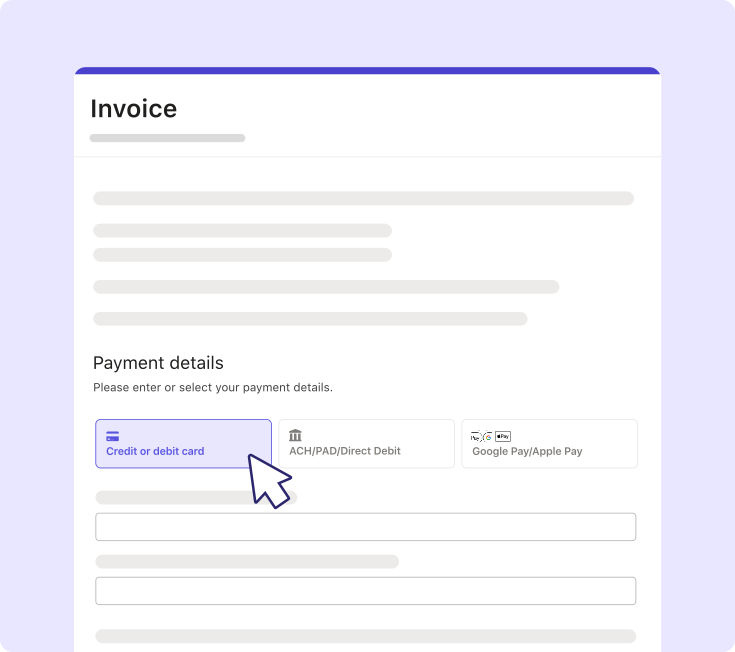
Ignition is built specifically for professional services firms, including accounting, bookkeeping, and consulting businesses that want one platform to sell, bill, and get paid. It helps firms streamline client onboarding and billing processes while improving payment consistency.
Ignition cuts down on accounts receivable admin by automating billing and payment collection. Features like AI Price Insights and AutoPricing help firms price services using real industry data, while Smart Billing supports automated invoicing for recurring fees and billing schedules.
Ignition also includes native change orders, allowing teams to adjust active agreements when scope creep occurs without restarting the contract process. By collecting client credit card or ACH details upfront during proposal sign-off, firms can reduce manual payment follow-up and keep billing tied directly to the original engagement.
Instead of treating invoicing as a separate administrative task, Ignition connects proposals, engagement letters, billing, and payments in one workflow. That makes invoicing a more seamless extension of the client onboarding process while helping firms protect cash flow and scale operations more efficiently.
Take control of your firm’s cash flow
Reduce manual billing work, automate payment collection, and create a more predictable revenue workflow.
2. QuickBooks Online
QuickBooks Online (QBO) is one of the most widely used cloud accounting platforms for small to midsize businesses. While it’s built primarily to serve as a general ledger and accounting system, it also includes native billing tools for creating, sending, and tracking client invoices.
However, QuickBooks Online lacks advanced proposal-to-payment automation, meaning proposals typically need to be handled in a separate platform. It also doesn’t natively capture payment details before work begins, which can lead to more manual payment follow-up and disconnected billing workflows. Managing scope changes or billing for out-of-scope work may also require manual invoice updates.
Integrating QuickBooks Online with Ignition creates a more connected revenue workflow than QBO alone. Instead of manually creating invoices inside QBO, firms can use Ignition to connect client onboarding, billing schedules, and payments. When a client signs a proposal in Ignition, invoice details sync into QuickBooks Online automatically, helping reduce duplicate entry, manual reconciliation work, and opportunities for human error.
3. Xero
Like QBO, Xero excels at accounting-led invoicing, clean bank feeds, and reconciliation workflows. It allows firms to create recurring invoice templates and apply preset sales tax rules across different regions, helping reduce accounting errors during month-end closes.
However, Xero may require additional automation if your business needs to connect billing directly to signed client agreements, engagement letters, or upfront payment collection. Managing scope changes and more complex recurring billing arrangements can also lead to manual workarounds when handled across disconnected systems.
Integrating Xero with Ignition extends Xero’s billing capabilities. Ignition manages client-facing proposals, collects authorized payment methods upfront, and automates recurring billing schedules. Billing details then sync into Xero, helping firms maintain accurate financial records while reducing duplicate entry and manual reconciliation work.
4. FreshBooks
FreshBooks began as a basic invoicing tool for solo operators and has evolved into a well-rounded accounting software platform tailored primarily for freelancers, micro-businesses, and small service teams.
It’s highly intuitive and works well for basic time tracking and project-based invoicing. Its straightforward interface allows small teams to log hours against a client record and quickly convert that work into a professional digital invoice.
Compared to Ignition, which supports formal engagement workflows, recurring billing, and scope changes for growing service businesses, FreshBooks remains more focused on simpler freelancer and small-team billing needs.
5. HoneyBook
HoneyBook is a client experience and management platform designed primarily for creative entrepreneurs. The platform focuses heavily on what it calls “clientflow,” offering visually polished proposals, scheduling tools, and payment features tailored to creative service businesses.
While effective for creative solo practitioners and small client-service teams, HoneyBook’s invoicing and billing architectures may not be robust enough for accounting firms, consulting businesses, or other professional B2B service providers. It offers less support for formal engagement workflows, scope adjustments, and accounting integrations than platforms like Ignition.
6. Karbon
Karbon is a collaborative practice management platform built specifically for accounting and bookkeeping firms to manage internal tasks, workflows, and client communication.
It excels at centralizing firm operations, automating internal task checklists, and coordinating complex projects across distributed teams. While Karbon is strong for operational management and team coordination, its native billing automation and upfront payment collection capabilities are more limited than platforms built specifically for proposal-to-payment workflows.
Integrating Karbon with Ignition helps accounting and bookkeeping firms align client agreements with internal delivery processes. Ignition manages engagement letters, billing schedules, and payment collection, while Karbon helps teams coordinate operational work and task management. Once an agreement is signed in Ignition, firms can automatically trigger related tasks and checklists inside Karbon, helping keep service delivery and billing aligned.
7. BILL (formerly Bill.com)
BILL is known for its focus on back-office finance automation and cash flow management. It’s particularly strong in accounts payable operations, multi-manager expense approval routing, and document storage for incoming vendor bills.
Because BILL is primarily AP-focused, its AR capabilities may feel more limited for professional services businesses managing client billing and payment workflows. It doesn’t provide native client proposals, scope control features, or integrated engagement agreements.
Unlike Ignition, which connects billing directly to signed client agreements, BILL treats invoicing as a more separate financial function. For service businesses managing ongoing client engagements, this can create additional steps between onboarding, billing, and payment collection.
8. Stripe Billing
Stripe Billing is a highly scalable billing engine designed primarily for developers, software-as-a-service (SaaS) companies, and digital subscription applications.
It works well for usage-based metered billing, high-volume subscription management, and API-driven payment handling. Stripe also supports a wide range of global payment networks.
However, Stripe Billing is more suited for technical teams building custom billing systems than professional services businesses looking for a ready-to-use platform. Unlike Ignition, which is designed specifically for service-based client engagements, Stripe Billing typically requires additional setup and technical resources to support proposals, engagement workflows, and ongoing scope management.
9. Zoho Invoice
Zoho Invoice is a capable, budget-friendly online invoicing platform designed to help small business owners track time, log expenses, and generate digital client bills. The software allows small teams to customize multilingual invoice templates, track project expenses, and send automated email reminders for overdue payments.
While it can work well for smaller businesses, many firms may outgrow its feature set as billing needs become more complex. It offers less support for formal engagement processes, scope management, and compliance-focused agreements than platforms built specifically for professional services businesses.
For those managing recurring client engagements and ongoing scope changes, Ignition provides more advanced billing controls and change-order functionality designed for service-based teams.
10. Wave
Wave provides an entry-level financial ecosystem featuring free cloud-based invoicing, basic receipt scanning, and integrated payment processing tailored for freelancers, contractors, and new solopreneurs.
It allows users to quickly create and send digital invoices without committing to a monthly subscription. However, as billing needs become more complex, Wave’s free invoicing model can create additional manual work for growing businesses. It also offers less support for advanced recurring billing, scope management, or deeper accounting automation.
Businesses that need proposal-to-payment automation and zero-touch payment collection may eventually find Wave’s manual data entry requirements limiting. Ignition may be a better option for firms with more complex service agreements.
11. Harvest
Harvest is a popular time-tracking and project-billing application widely used by creative agencies, software consultancies, and firms that bill primarily on time and materials. It excels at logging billable hours, monitoring team capacity, and tracking real-time project budgets against estimated targets.
While Harvest is strong for time tracking and project-based billing, its standalone invoicing capabilities may feel restrictive for firms trying to scale recurring retainers or automate payment collection. It also doesn’t support formal engagement letter signatures or automatically capture client credit cards before work begins.
Firms looking to move away from manually chasing billable hours and toward more predictable recurring revenue models may find a better fit in Ignition.
Stop chasing invoices and start getting paid on time
The right platform can help professional services businesses simplify invoice processing, reduce missed billable work, improve payment consistency, and create a more predictable revenue process. As client agreements and billing arrangements become more complex, disconnected systems and manual follow-up can make it harder to maintain visibility across the full client lifecycle.
Ignition goes beyond basic invoicing by connecting proposals, engagement letters, billing schedules, and payments from onboarding through reconciliation. That helps firms manage scope changes more efficiently, reduce administrative friction, and keep revenue tied directly to signed client agreements from the start.
Ready to eliminate billing admin?
Take the manual work out of client agreements, improve cash flow visibility, and create a more streamlined billing experience.
FAQs
-
For service businesses, the best invoice automation software usually automates recurring billing, payment collection, and reminders from the moment a client agrees to work. Tools built for vendor approvals and purchase orders may solve accounts payable, but they often miss the billing and scope management needs professional services firms deal with regularly. Platforms like Ignition are often a better fit for growing firms because proposals, agreements, billing, and payments stay aligned throughout the client lifecycle.
-
Accounts payable automation manages vendor invoices, approvals, and outbound payments. Accounts receivable automation manages client invoicing, reminders, collections, and reconciliation, which is typically the more relevant challenge for professional services businesses. If your goal is improving cash flow, focus on proposal-to-payment workflows rather than purchase order matching.
-
Look for recurring billing, automated reminders, payment collection, clear audit trails, and strong integrations with the accounting platform you already use. For professional services firms, contract-linked billing matters just as much as invoice creation because it can help reduce revenue leakage and scope creep. If your business bills on retainers, projects, and one-off work, choose a platform that can support all three without manual workarounds.
-
The best fit is usually the platform that syncs billing data cleanly and limits duplicate entry between proposals, invoices, payments, and accounting. For professional services firms using QuickBooks Online or Xero, Ignition stands out because billing automation starts with signed client agreements rather than disconnected invoices. That connection can help improve cash flow visibility and reduce missed revenue when services change mid-engagement.
-
Implementation timelines vary depending on billing complexity, client data, and integration requirements. In many cases, setup can take several months, especially when businesses need to clean up existing processes or align finance and operations workflows. Platforms like Ignition may be easier to adopt because proposals, billing, and payments are designed to work together from the start.